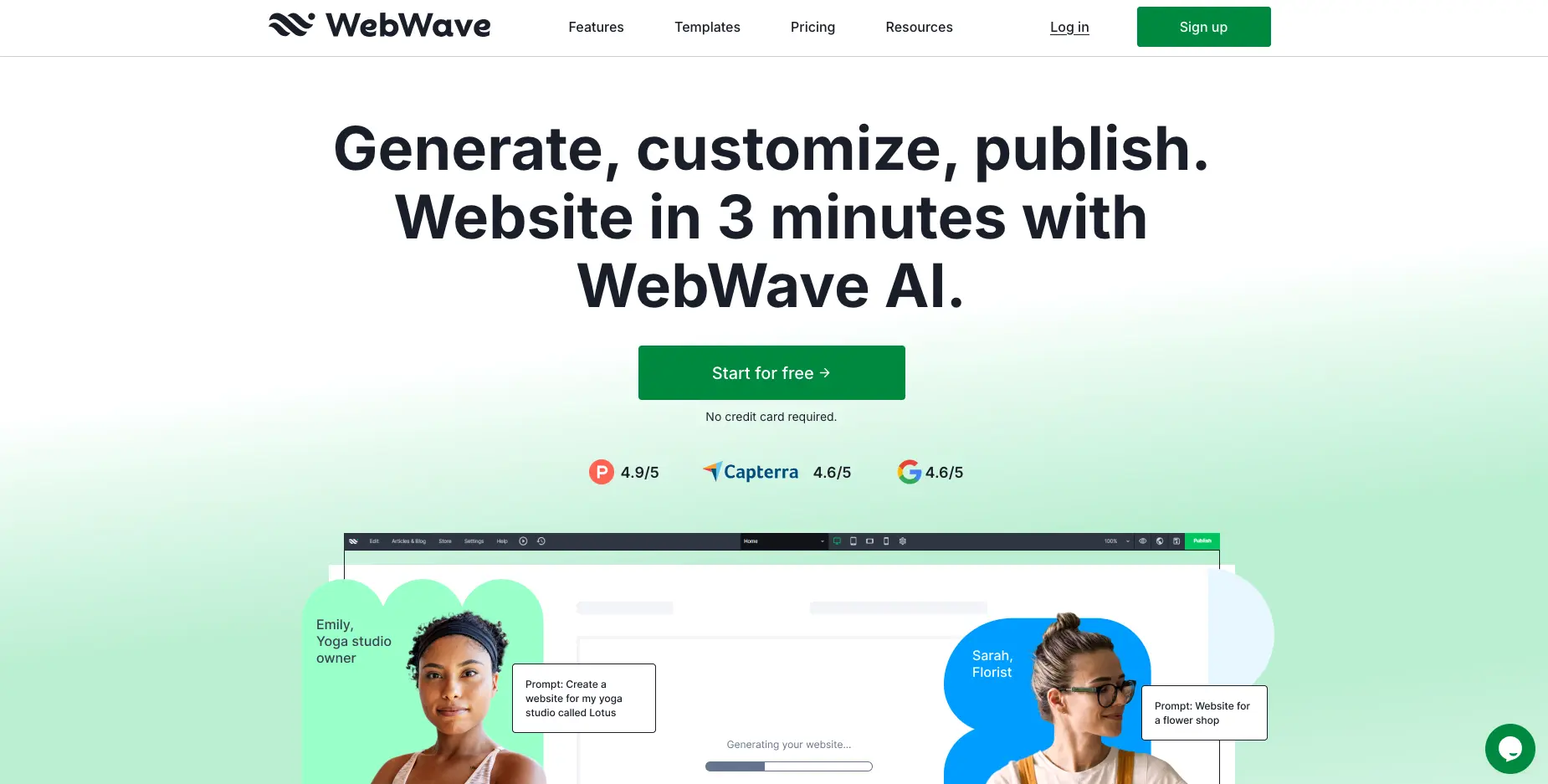
WebWave is a drag-and-drop website builder designed for freelancers, agencies, and small business owners who need pixel-perfect design control without coding. It costs $5-$11 per month and focuses on offering Photoshop-style editing freedom for creating custom websites. This review covers whether it's the right fit for designers and entrepreneurs, examining pricing, features, integrations, and real user experiences.
WebWave at a glance
Attribute | Details |
|---|---|
Best For | Freelance designers, agencies, creative professionals |
Pricing | $5 - $11/month (annual billing) |
G2 Rating | 4.6/5 stars (112 reviews) |
Capterra Rating | 4.6/5 stars (77 reviews) |
Trustpilot Rating | 4.3/5 stars (115 reviews) |
Key Strength | Photoshop-style pixel-perfect design control |
Main Weakness | Steeper learning curve; manual mobile optimization |
Integrations | 30+ including Shopify, Ecwid, Google Analytics |
Free Trial | Yes - Unlimited free plan with webwave.me subdomain |
Best Competitor | Wix (for beginners), Squarespace (for templates) |
Final Verdict | Recommended for designers seeking creative freedom; not ideal for complete beginners |
What is WebWave?
WebWave is a website builder launched in 2013 that provides users with a freehand canvas for designing websites, similar to graphic design software like Photoshop, Figma, or Adobe Illustrator. Unlike section-based builders like Wix or Squarespace that restrict element placement to grids, WebWave allows pixel-perfect positioning anywhere on the page.
The platform serves over 500 million users globally and includes AI-powered website generation, a white-label solution for agencies, hosting, SSL certificates, and e-commerce capabilities all in one package.
Pricing & Plans: What Does WebWave Cost?
WebWave offers transparent pricing with four tiers, all billed annually. According to WebWave's official pricing page, monthly rates for annual subscriptions are significantly lower than month-to-month options.
Pricing Breakdown
Plan | Price | Pages | Email Accounts | Storage | Best For |
|---|---|---|---|---|---|
Free | $0/month | Unlimited | 0 | 1 GB | Testing & learning |
Starter | $5/month | 1 page | 1 | 3 GB | Landing pages |
Pro | $7/month | Unlimited | 3 | 10 GB | Multi-page websites |
Business | $11/month | Unlimited | Unlimited | Unlimited | Online stores |
All premium plans include a free custom domain for one year, SSL certificate, SEO tools, Google submission, and priority support. The Business plan adds full e-commerce functionality with no transaction fees.
TL;DR: WebWave is competitively priced at 20-40% less than Wix and comparable to budget-friendly alternatives. The free plan offers full design features but requires a webwave.me subdomain.
WebWave Core Features: What Can WebWave Actually Do?
1. Photoshop-Style Drag-and-Drop Editor
WebWave's standout feature is its layer-based, pixel-perfect editor. Elements can be positioned anywhere on the canvas with 1-pixel precision. The interface includes a layers panel, similar to Photoshop, allowing designers to manage element stacking and visibility.
According to G2 reviews, users with graphic design backgrounds find this approach intuitive. One verified reviewer noted that WebWave "feels like a natural extension to the design tools I'm already familiar with, therefore eliminating the hassles experienced with grid-based builders."
Pros:
- Complete creative freedom
- Familiar interface for designers
- Layer management system
Cons:
- Steeper learning curve for beginners
- Manual responsive design adjustments required
2. AI Website Generator
WebWave's AI builder creates complete websites in approximately 3 minutes based on business prompts or existing URLs. The AI suggests layouts, color palettes (8 options), and font pairings (4 options), then generates a multi-page site automatically.
Users can customize AI-generated sites using the full drag-and-drop editor afterward. According to user reviews on Trustpilot, customers report the AI tool "saved over 12 hours" compared to building from scratch.
3. White Label Solution for Agencies
WebWave offers white-label capabilities allowing agencies to rebrand the platform entirely. Agencies can customize the client login portal with their logo and brand colors, publish client websites under their subdomain for free, and purchase hosting plans at 50% discount to resell.
According to WebWave's official white-label page, clients won't see any WebWave branding in the CMS editor when making changes.
4. Responsive Design Tools
WebWave provides separate editing modes for Desktop, Tablet, Mobile Landscape, and Mobile Portrait views. However, unlike Wix or Squarespace, WebWave doesn't automatically optimize layouts for mobile devices.
As noted in Capterra reviews, users must manually adjust each page for mobile responsiveness, which "takes a bit more time and makes things a bit more difficult."
5. E-commerce Functionality (Business Plan)
The Business plan includes a full online store with product management, inventory tracking, and Stripe integration for payments. WebWave charges no transaction fees on sales.
Limitations: Only Stripe is supported as a payment gateway, which is unavailable in many countries. Store and SEO settings are considered basic compared to dedicated e-commerce platforms like Shopify.
6. Built-in SEO Analyzer
WebWave includes an SEO analyzer that evaluates on-page elements and keyword usage, providing a prioritized list of improvements. The platform handles technical SEO aspects like header optimization, meta tags, and page speed automatically.
According to user feedback on G2, WebWave's SEO capabilities are "easy to understand, giving you the tools you need to rank higher on Google."
7. Animation & Interaction Effects
Users can add animations to virtually any element, including fly in/out, fade in/out, reveal/hide, fold in/out, and expand in/out effects. WebWave also supports the Ken Burns effect for images and parallax scrolling.
Warning: Overusing animations may impact page loading speeds.
TL;DR: WebWave offers robust design control and AI generation but requires manual mobile optimization and has limited payment gateway options for e-commerce.
WebWave Templates: Quality vs. Quantity
WebWave provides 100+ free templates across various industries including business, health and beauty, hobbies, and e-commerce. All templates are mobile responsive and completely customizable.
Pros:
- All templates are free (no premium upsells)
- Fully customizable
- Industry-specific designs
Cons:
- Smaller selection than Wix (2,600+ templates) or Squarespace (190+ templates)
- Cannot switch templates after selection
- Design quality considered "workable but not offering something extra" according to Software Advice reviews
Comparison:
- Wix: 2,600+ templates but lower quality on average
- Squarespace: 190 templates but superior design quality
- WebWave: 100+ templates with good customization flexibility
Integrations: What Tools Connect to WebWave?
WebWave supports 30+ integrations through HTML embedding and native connections. Key integrations include:
E-commerce:
- Ecwid (quick cart embedding)
- Shopify (advanced store management)
- Stripe (payment processing)
Marketing & Analytics:
- Google Analytics
- Google Tag Manager
- MailerLite
- FreshMail
- AddThis (social sharing)
Communication:
- LiveChat
- Tawk.to (free chat)
- Facebook Messenger
- Typeform
- JotForm
Content & Media:
- Unsplash (free images)
- ISSUU (digital publishing)
- Bandcamp (music player)
- Google Maps
- Snazzy Maps
Other Tools:
- Google Calendar
- UpMenu (restaurant ordering)
- CallPage (callback widgets)
- Disqus (comments)
WebWave also supports custom code insertion for tools not on the integration list.
TL;DR: WebWave offers essential integrations but fewer than Wix (800+ apps). Advanced users can add custom integrations via HTML/JavaScript embedding.
Use Case Fit: When Should You Choose WebWave?
WebWave is Ideal For:
Freelance Designers & Agencies
- White-label capabilities with 50% hosting discounts
- Pixel-perfect design control
- Multi-client management in one dashboard
Creative Professionals with Design Experience
- Familiar Photoshop-style interface
- Layer-based editing
- Complete creative freedom
Small Businesses on a Budget
- Affordable pricing ($5-$11/month)
- All-in-one solution (hosting, SSL, email included)
- No transaction fees on e-commerce
Users Building Custom, Non-Template Sites
- Blank canvas option
- Unrestricted element placement
- Custom code support
WebWave is NOT Ideal For:
Complete Beginners with No Design Experience
- Steeper learning curve than Wix or Squarespace
- Manual mobile optimization required
- More complex interface
Users Needing Advanced E-commerce
- Only Stripe payment gateway
- Basic store settings
- Limited compared to Shopify or BigCommerce
International Sellers
- Stripe unavailable in many countries
- Single/fixed tax options only
Users Prioritizing Speed Over Control
- Slower loading times than Squarespace
- Performance scores: Mobile (56%), Desktop (91%) according to Software Advice testing
WebWave vs. Competitors: Side-by-Side Comparison
Feature | WebWave | Wix | Squarespace |
|---|---|---|---|
Starting Price | $5/month | $17/month | $16/month |
Free Plan | Yes (unlimited) | Yes (limited) | No (14-day trial) |
Templates | 100+ | 2,600+ | 190+ |
Template Quality | Good | Average | Excellent |
Design Freedom | Pixel-perfect | High | Grid-based |
Mobile Optimization | Manual | Manual | Automatic |
Learning Curve | Steep | Moderate | Easy |
E-commerce | Basic | Advanced | Advanced |
Apps/Integrations | 30+ | 800+ | 100+ |
White Label | Yes (50% discount) | No | No |
Best For | Designers & agencies | General users | Creatives |
Key Differences:
WebWave vs. Wix
- WebWave offers more design freedom but fewer features
- Wix is easier for beginners
- WebWave is 40% cheaper at entry level
- Wix has better app marketplace (800+ vs. 30+)
WebWave vs. Squarespace
- Squarespace has automatic mobile responsiveness
- WebWave provides more positioning control
- Both similar in price ($5 vs. $16 starting)
- Squarespace templates are higher quality
WebWave vs. WordPress
- WebWave is hosted solution (no server management)
- WordPress offers more customization but requires plugins
- WebWave is simpler to use
- WordPress has steeper learning curve but more power
TL;DR: Choose WebWave for design control and white-label features. Choose Wix for ease of use and apps. Choose Squarespace for beautiful templates and simplicity.
Customer Reviews & Real User Feedback of WebWave
What Users Love
Design Flexibility (mentioned in 80%+ of positive reviews)
- "It's incredibly easy to use, and the drag-and-drop feature is great - I can quickly move any site element to exactly where I want it." (G2 verified review)
- "Given that it works in a similar fashion to the layer-based systems in Photoshop, Figma and Affinity Designer, WebWave feels like a natural extension." (Software Advice review)
Value for Money
- "The pricing plans are reasonable and offer good value for the features provided." (G2 review)
- Rated 4.8/5 for Value for Money on Capterra
White Label for Agencies
- "WhiteLabel is a very useful function. I can sell projects to my clients with my own brand identity." (G2 verified review)
Customer Support
- "Fantastic interface, First of all the customer service is pretty organized, friendly and fast." (WebWave.me review)
- Rated 4.6/5 for Customer Service on Capterra
What Users Dislike
Mobile Optimization Challenges (mentioned in 40%+ of critical reviews)
- "Websites are not automatically mobile optimized so you have to go in and edit every page in a way that it will look good on mobile. Takes a bit more time." (Capterra verified review)
Learning Curve
- "Steep learning curve: even though I'm an advanced Wix user with some knowledge in Photoshop it may take some time to take over and do exactly what you intend to." (G2 review)
Performance Issues
- "Loading time is not great as many other competitors - Gtmetrix performance grade at max 81% while Google pagespeed mobile (56%)." (Software Advice review)
- "AI website builder is buggy, and every few automatic builds, the AI will have some critical error." (Trustpilot review)
Limited E-commerce Features
- "Only payment gateway for the store settings is Stripe, which is not available in many countries." (Software Advice review)
- "It is a bit lacking in proper functionality for e-commerce sites." (FindStack review)
Review Summary by Platform
G2 (4.6/5 stars, 112 reviews)
- Ease of Use: 4.5/5
- Customer Service: 4.6/5
- Features: 4.4/5
- Value for Money: 4.8/5
Capterra (4.6/5 stars, 77 reviews)
- Ease of Use: 4.5/5
- Customer Service: 4.6/5
- Features: 4.4/5
- Value for Money: 4.8/5
Trustpilot (4.3/5 stars, 115 reviews)
- Positive themes: AI capabilities, design flexibility, support quality
- Negative themes: Buggy AI builder, mobile optimization, loading speeds
TL;DR: Users with design experience love WebWave's flexibility and value. Beginners struggle with the learning curve. Mobile optimization and loading speeds are consistent pain points.
WebWave Security & Compliance
WebWave includes enterprise-grade security features in all plans:
- Free SSL Certificates: HTTPS encryption for all websites
- Daily Automatic Backups: All system data backed up daily
- 24/7 Security Monitoring: Constant monitoring by IT professionals
- Automatic Updates: No downloads required; updates applied immediately
- Uptime Guarantee: Stable hosting infrastructure
Note: WebWave does not publicly list specific compliance certifications (SOC 2, GDPR, etc.) on their website. Users requiring specific compliance standards should contact WebWave directly for documentation.
WebWave Setup & Support: How Easy is Implementation?
Getting Started
AI-Assisted Setup (3 minutes):
- Create free account
- Provide business details or website URL
- Pick suggested layout
- Select color palette and fonts (8 palettes, 4 font pairings)
- Choose pages to include
- Generate and publish
Template-Based Setup (15-30 minutes):
- Browse 100+ templates
- Select template (cannot switch later)
- Customize content and design
- Adjust for mobile views
- Publish to webwave.me subdomain or custom domain
Blank Canvas Setup (varies):
- Complete creative freedom
- Requires design skills
- Most time-intensive but offers maximum control
Support Options
Live Chat: Available Monday-Friday Email Support: contact@webwave.me Knowledge Base: Comprehensive documentation with video tutorials Community: Facebook group for user questions Priority Support: Included with all premium plans 30-Day Money-Back Guarantee: Full refund if unsatisfied
Support Quality
According to G2 reviews, WebWave's support is rated 4.6/5 stars. Users consistently praise response times and helpfulness. As one Capterra reviewer noted, "Each and every problem that I encountered they managed to help me using very simple steps."
TL;DR: Setup takes 3 minutes with AI or 15-30 minutes with templates. Support is responsive via live chat and email, with comprehensive documentation available.
WebWave Final Verdict: Who Should Use WebWave?
Buy WebWave If You:
- Have graphic design experience (Photoshop, Figma, Illustrator)
- Need pixel-perfect design control
- Run a web design agency or freelance business
- Want white-label capabilities with client management
- Prioritize design freedom over ease of use
- Need an affordable all-in-one solution ($5-$11/month)
- Build custom websites rather than relying on templates
Skip WebWave If You:
- Are a complete beginner with no design experience
- Need automatic mobile responsiveness
- Require advanced e-commerce features
- Operate in countries without Stripe support
- Prioritize ease of use over creative control
- Need extensive third-party app integrations (800+)
- Want the fastest possible loading speeds
Best Alternative Recommendations:
For Complete Beginners: Wix or Squarespace
- Easier to use
- Automatic mobile optimization
- Better for non-designers
For Advanced E-commerce: Shopify or BigCommerce
- More payment gateways
- Advanced store features
- Better international support
For Agencies on a Budget: WebWave
- White-label capabilities
- 50% hosting discounts
- Multi-client management
Bottom Line
WebWave excels as a designer-focused website builder offering exceptional creative freedom at a competitive price point. The Photoshop-style interface, white-label capabilities, and AI generation make it ideal for freelancers and agencies serving clients. However, the manual mobile optimization requirement and steeper learning curve make it less suitable for complete beginners.
At $5-$11 per month with a generous free plan, WebWave delivers excellent value for users who prioritize design control. If you're comfortable with graphic design software and want to build truly custom websites without code, WebWave is worth trying. Start with the free plan to test the interface before committing to a paid tier.
Final Rating: 4.5/5 stars - Excellent for designers and agencies; good for creative professionals; challenging for beginners.
WebWave Website Builder FAQs
Is WebWave really free? Yes, WebWave offers a completely free plan with unlimited pages, unlimited bandwidth, and access to all design features. The limitation is that you must use a webwave.me subdomain and display WebWave branding. Premium plans ($5-$11/month) remove branding and add custom domains.
Can I switch templates after launching my site? No, WebWave does not allow template switching after initial selection. You would need to rebuild your site from scratch with a new template. Plan carefully when choosing your starting point.
Does WebWave work for e-commerce? Yes, the Business plan ($11/month) includes full e-commerce functionality with no transaction fees. However, it only supports Stripe as a payment gateway and has basic store settings compared to dedicated platforms like Shopify.
How does WebWave compare to Wix and Squarespace? WebWave offers more design freedom than both but has a steeper learning curve. It's 40% cheaper than Wix at the entry level. Wix has more apps (800+ vs. 30+), while Squarespace has better automatic mobile optimization. Choose WebWave for pixel-perfect control, Wix for ease of use, or Squarespace for beautiful templates.
Is WebWave good for beginners? WebWave is better suited for users with some design experience. The Photoshop-style interface can be overwhelming for complete beginners. Wix or Squarespace are easier options for first-time website builders.
Can agencies use WebWave for clients? Absolutely. WebWave offers white-label capabilities allowing agencies to rebrand the platform, manage multiple clients, publish under their own domain, and purchase hosting at 50% discount to resell. It's one of WebWave's strongest use cases.
What integrations does WebWave support? WebWave supports 30+ integrations including Shopify, Ecwid, Google Analytics, MailerLite, Typeform, LiveChat, and more. Users can also add custom integrations via HTML/JavaScript embedding.
Does WebWave automatically optimize for mobile? No, unlike Wix or Squarespace, WebWave requires manual adjustments for tablet and mobile views. You must edit each page separately for different screen sizes, which takes additional time.
How fast are WebWave websites? According to independent testing by Software Advice, WebWave sites score 56% on Google PageSpeed Mobile and 91% on Desktop. This is slower than Squarespace but comparable to Wix. Performance can be improved through image optimization and limiting animations.
Does WebWave offer customer support? Yes, WebWave provides live chat support (Monday-Friday), email support, a comprehensive knowledge base, video tutorials, and a Facebook community. Premium plans include priority support. Users consistently rate support 4.6/5 stars on review platforms.
Also read:
- Relume Review
- Dorik Review
- Wix AI website builder Review
- TeleportHQ Review
- Squarespace AI website builder Review
- Jimdo Review
- Hostinger websiter builder review
- 10Web Review
- Best AI Business Builders

Build your website in 30 seconds