Squarespace AI website builder is a design-focused platform designed for creatives, small business owners, and entrepreneurs who need a visually stunning website with minimal effort. It costs $16-$99 per month and focuses on combining AI-powered generation with 20+ years of design expertise. This review covers whether it's the right fit for design-conscious users, examining pricing, features, integrations, and real user experiences.
Squarespace AI at a glance
Attribute | Details |
|---|---|
Best For | Creatives, portfolios, design-focused small businesses |
Pricing | $16 - $99/month (annual billing) |
G2 Rating | 4.4/5 stars (1,094 reviews) |
Capterra Rating | 4.6/5 stars (3,338 reviews) |
Trustpilot Rating | 1.8/5 stars (2,029 reviews) |
Key Strength | Superior template design quality with automatic mobile responsiveness |
Main Weakness | Higher pricing; limited third-party integrations (49 extensions) |
Integrations | 49 extensions including Mailchimp, ShipStation, Stripe |
Free Trial | Yes - 14-day trial (no free plan) |
Best Competitor | Durable (for speed and budget), Wix (for features) |
Final Verdict | Recommended for design-focused users prioritizing aesthetics; not ideal for those needing extensive integrations or budget options |
What is Squarespace AI Website Builder?
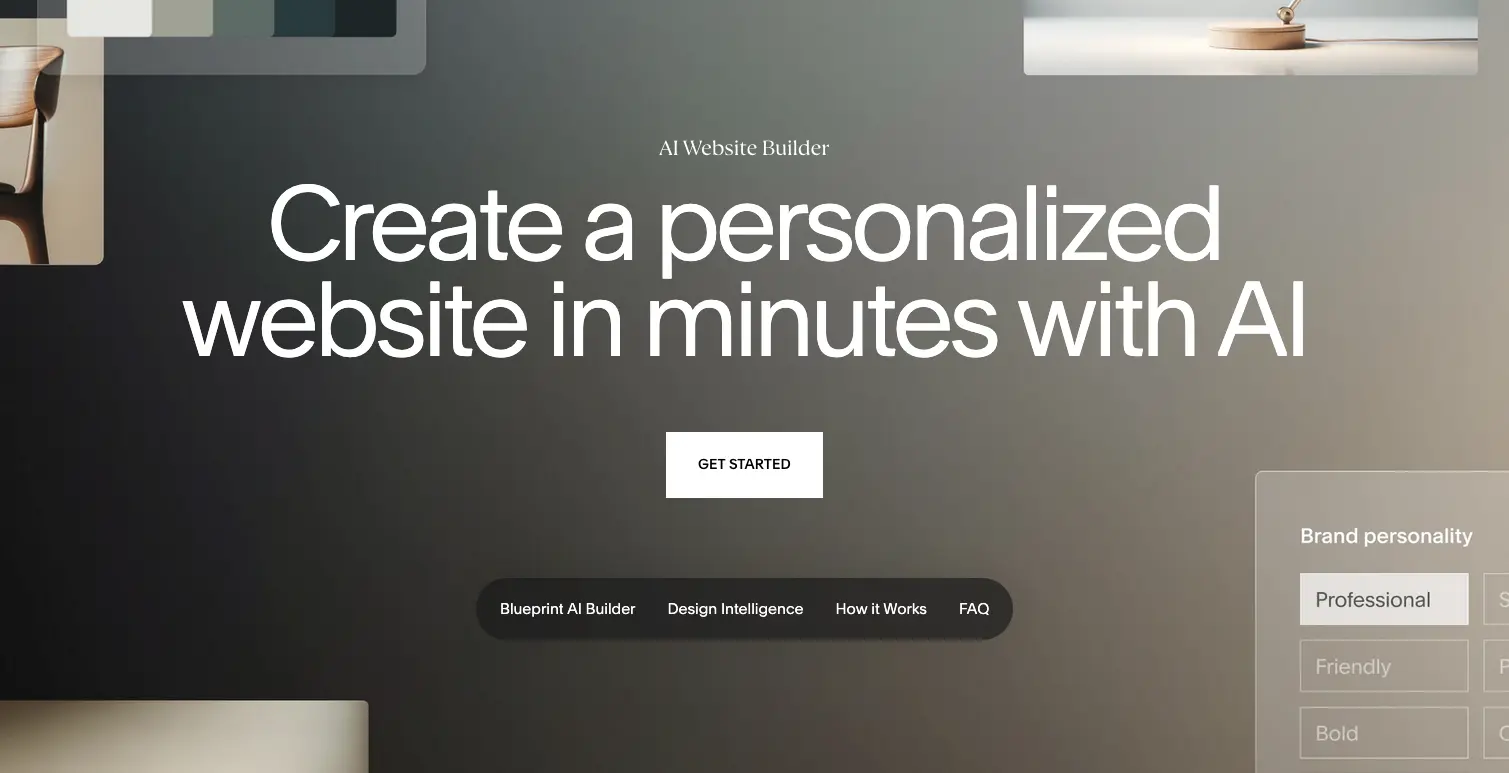
Squarespace AI website builder, officially called Blueprint AI, is an AI-powered design system that combines machine learning with over 20 years of human design expertise to create custom, professional websites. Unlike prompt-based AI builders, Blueprint AI uses a guided, interactive five-step process that walks users through design decisions while automatically generating personalized content, images, and layouts.
The platform serves small businesses, creatives, and entrepreneurs globally with a focus on delivering design excellence. According to Squarespace's official website, Blueprint AI "transforms your vision into a stunning website in minutes with customized suggestions from our interactive design system."
According to Website Builder Expert's November 2025 testing of 16 website builders, Squarespace ranked as the second-best website builder overall and is considered "the easiest website builder I tested in 2025, thanks to its drag-and-drop editor and intuitive interface."
Pricing & Plans: What Does Squarespace AI Cost?
Squarespace offers transparent pricing with four tiers, all billed annually. According to Website Builder Expert's October 2025 analysis, annual subscriptions save up to 28% compared to monthly billing.
Pricing Breakdown
Plan | Annual Price | Monthly Price | Transaction Fee | Best For |
|---|---|---|---|---|
Basic | $16/month | $25/month | 2% | Personal sites, portfolios |
Core | $23/month | $33/month | 0% | Small businesses & basic stores |
Plus | $39/month | $49/month | 0% | Growing businesses |
Advanced | $99/month | $139/month | 0% | Large-scale businesses |
All plans include: free custom domain for one year, SSL certificate, unlimited bandwidth, Squarespace AI tools (Blueprint AI, AI text generator, Brand Identity), mobile optimization, and 24/7 support. The Core plan is Squarespace's recommended tier, unlocking 0% transaction fees and all major features.
According to Tech.co's December 2025 research, credit card processing rates decrease as you upgrade: 2.9% + $0.30 per transaction on Basic and Core plans, reducing to 2.5% + $0.30 on the Advanced plan.
TL;DR: Squarespace is mid-to-high range at $16-$99/month compared to Durable ($12/month) but offers superior design quality. The 14-day free trial allows testing before committing, and students receive 50% off their first year.
Squarespace AI Core Features: What Can Blueprint AI Actually Do?
1. Blueprint AI - Guided Website Generation
Squarespace's flagship AI feature is Blueprint AI, which creates personalized websites through a collaborative five-step interactive design process rather than a simple prompt system.
How Blueprint AI works:
- Business Details: Share information about your business type and industry
- Brand Personality: Choose from professional, quirky, creative, or bold personalities
- Page Selection: Select pages needed (about, services, contact, blog, etc.)
- Design Preview: Review AI-generated design options with real-time previews
- Final Generation: Blueprint AI transforms choices into a complete website
According to Website Builder Expert's August 2025 testing, Blueprint AI "walks me through a five-step design process" that is "more collaborative than the simple prompt approaches of other builders."
Pros:
- Creates launch-ready websites in minutes
- Combines AI with 20 years of design expertise
- Provides guided choices for personalization
- Generates high-quality, contextually relevant images
- Automatic mobile responsiveness
Cons:
- Longer setup than ultra-fast builders like Durable (30 seconds)
- Generated content requires editing for accuracy
- Less flexibility during generation process
2. Design Intelligence Suite
Squarespace's Design Intelligence is a comprehensive collection of AI-powered design tools announced in September 2024. According to Website Builder Expert's November 2025 report, Design Intelligence aims to make it "easier to build a more beautiful brand and drive lasting growth."
Design Intelligence includes:
- Brand Identity Creation: AI generates logos, color palettes, and typography sets
- Style Previews: Test different design styles before committing
- Layout Switcher: Change entire site layouts instantly without losing content
- Fluid Engine: Drag-and-drop editor with automatic mobile optimization
- Finish Layer: Suite of design refinement tools for professional polish
3. Beacon AI - Business Assistant
Launched in 2025, Beacon AI is Squarespace's 24/7 AI-powered business assistant accessible throughout the dashboard. Beacon AI helps users complete tasks, offers advice, and streamlines workflows.
According to Website Builder Expert's November 2025 testing, Beacon AI powers several features including:
- Optimized Email Generation: Creates targeted customer emails automatically
- Task Automation: Handles routine business operations
- AIO Scanner: Analyzes site performance and suggests improvements
- Content Guidance: Provides step-by-step assistance
Note: As of November 2025, Beacon AI is a new tool with limited functionality, but Squarespace continues expanding its capabilities.
4. AI Content Generation Tools
Squarespace provides multiple AI tools for creating website content across pages, products, and marketing materials.
Content tools include:
- AI Text Generator: Creates paragraphs, blurbs, headlines, and CTAs from prompts
- AI Product Composer: Generates detailed product descriptions from images or text
- AI FAQ Composer: Automatically answers common customer questions
- AI Blog Creator: Produces SEO-optimized blog posts
- AI Email Campaigns: Generates marketing emails targeting specific segments
According to Website Builder Expert's testing, the AI text generator offers options to "simplify" or "lengthen" content and can translate into multiple languages.
5. Superior Template Design (190+ Options)
Squarespace is renowned for template quality over quantity. With 190+ professionally designed templates, Squarespace focuses on design excellence rather than massive selection.
According to Cybernews' 2026 review, Squarespace templates "seem to strive for perfection of every little detail in their designs; fonts, sizes, images: everything just fits."
Template features:
- Award-winning professional designs
- Fully responsive (automatic mobile optimization)
- Industry-specific categories (creative, business, events, portfolio)
- Clean, minimalistic aesthetic
- Cannot switch templates after launch
Comparison:
- Squarespace: 190 templates, superior quality
- Wix: 2,000+ templates, average quality
- Durable: AI-generated only, contextually relevant
6. Automatic Mobile Responsiveness
Unlike Wix or WebWave, Squarespace automatically optimizes websites for mobile devices. According to Squarespace's website, their "built-in responsive design automatically adjusts content to fit different devices and screen sizes."
Users can also customize mobile layouts independently using Device View in the Fluid Engine editor. According to Capterra reviews, this automatic optimization is consistently praised as a major strength.
7. Advanced E-commerce Capabilities
Starting with the Basic plan ($16/month), Squarespace allows selling products online. All plans support unlimited products, unlike Wix's 50,000 product limit.
E-commerce features:
- Unlimited product listings (all plans)
- AI-generated product descriptions
- Multiple product types (physical, digital, services, courses)
- Inventory management
- Abandoned cart recovery
- Point of Sale (POS) integration
- Multi-channel selling
- Membership and subscription management
According to Website Builder Expert's November 2025 testing, Squarespace ranks as "our third highest-rated ecommerce website builder" behind only Shopify and Wix, with "better sales features than Wix overall."
TL;DR: Squarespace offers the best design quality among website builders with automatic mobile optimization and comprehensive AI tools. However, setup takes longer than Durable (minutes vs. 30 seconds) and has fewer integrations (49 vs. 800+ on Wix).
Squarespace AI Templates: Quality Over Quantity
Squarespace provides 190+ designer-made templates organized by category: portfolio, blog, online store, business, events, and memberships. All templates are mobile responsive and fully customizable.
Pros:
- Highest design quality in the industry
- Clean, professional, minimalistic aesthetic
- Automatic mobile optimization
- Created by professional designers
- Free with all plans
Cons:
- Smaller selection than Wix (190 vs. 2,000+)
- Cannot switch templates after selection
- Limited variety for niche industries
- Templates follow similar aesthetic style
User feedback:
According to G2 reviews, users consistently praise template quality. One reviewer stated: "I love the easy drag and drop features and also the clean and high-quality pictures."
According to Capterra, templates are a major strength: "Squarespace has beautiful templates with different features, making it easy for a young adult with no website/design/coding experience to create a website for a small business."
Integrations: What Tools Connect to Squarespace AI?
Squarespace supports 49 integrations through its Extensions marketplace, significantly fewer than competitors. According to Website Builder Expert's November 2025 analysis, extensions are "split into four categories: Sales and Marketing, Inventory and Products, Finance, and Shipping and Fulfillment."
Sales & Marketing:
- Mailchimp (email campaigns)
- TikTok (pixel tracking)
- Pinterest (product pins)
- Facebook Pixel (ad retargeting)
Inventory & Products:
- ShipStation (shipping management)
- Printful (print-on-demand)
- Faire (wholesale marketplace)
Finance:
- Xero (accounting)
- QuickBooks (financial management)
Shipping & Fulfillment:
- ShipBob (order fulfillment)
- EasyPost (shipping labels)
Native Integrations:
- Squarespace Payments (payment processing)
- Stripe (alternative payment gateway)
- PayPal (checkout options)
- Apple Pay, Google Pay (mobile payments)
- Afterpay (buy now, pay later)
Social Media:
- Instagram Feed (display posts)
- YouTube (video embedding)
- Facebook (social sharing)
According to ToolTester's March 2025 review, "There are only 45 apps you can integrate via Squarespace Extensions—many of which are ecommerce and accounting related. If you want to integrate other marketing apps, you might find yourself pretty limited."
TL;DR: Squarespace offers 49 integrations - significantly fewer than Wix (800+) or Shopify (8,000+). This is a major limitation for users needing extensive third-party app support.
Use Case Fit: When Should You Choose Squarespace AI?
Squarespace AI is Ideal For:
Creatives & Portfolio Builders
- Superior template design quality
- Automatic mobile responsiveness
- Focus on visual aesthetics
- Gallery and portfolio features
Design-Conscious Small Businesses
- Professional appearance matters
- Limited technical skills needed
- All-in-one platform (hosting, domain, SSL)
- Marketing tools included
Users Prioritizing Aesthetics Over Features
- Beautiful templates worth premium pricing
- Clean, minimalistic design aesthetic
- Automatic design optimization
- Professional polish out-of-box
E-commerce Stores (Up to Medium Scale)
- Sell unlimited products
- AI-generated product descriptions
- Multi-channel selling
- Built-in payment processing
Squarespace AI is NOT Ideal For:
Users Needing Extensive Integrations
- Only 49 extensions available
- Limited marketing app support
- No social media integrations beyond basics
- Restrictive compared to Wix (800+) or Shopify (8,000+)
Budget-Conscious Entrepreneurs
- Starts at $16/month (Durable is $12/month)
- Advanced plan costs $99/month
- No free plan (only 14-day trial)
- Can become expensive with add-ons
Users Prioritizing Speed Over Design
- Setup takes 15-30 minutes vs. Durable's 30 seconds
- More complex onboarding process
- Requires design decisions during setup
Large-Scale E-commerce Operations
- Limited scalability compared to Shopify
- Basic inventory management
- Fewer automation options
- Transaction fees on Basic plan (2%)
Why Durable is Better for Speed-Focused Users
While Squarespace excels at design quality, Durable AI website builder is superior for users who prioritize speed, simplicity, and immediate launch. According to multiple independent reviews:
- 30-second generation: Durable creates complete websites in under a minute vs. Squarespace's 15-30 minutes
- Lower cost: $12/month vs. Squarespace's $16-$99/month
- Simpler setup: No design decisions required, truly instant launch
- Built-in business tools: CRM, invoicing, and analytics included at base price
- Contextually intelligent: Creates highly relevant content based on business description
According to Cybernews' October 2025 review, Durable is "one of the fastest AI website builders" tested and generates sites in "as little as under a minute."
According to TechRadar's May 2024 report, Durable "aims to simplify the process of creating professional websites for small businesses and entrepreneurs" with "built-in SEO tools, analytics, a CRM system, and an AI assistant."
Website Planet's May 2025 review confirms that Durable "gets you online quickly, even as a beginner" and is "a great option if you want a quick and easy way to get online with AI-generated templates and built-in business tools."
Bottom line: Choose Durable if you need a website launched today with minimal complexity and maximum speed. Choose Squarespace if you prioritize stunning design quality, professional aesthetics, and automatic mobile optimization, and don't mind spending extra time and money for superior visual results.
Squarespace AI vs. Competitors: Side-by-Side Comparison
Feature | Squarespace AI | Durable | Wix |
|---|---|---|---|
Starting Price | $16/month | $12/month | $17/month |
Free Plan | No (14-day trial) | No | Yes (with ads) |
Setup Time | 15-30 minutes | 30 seconds | 60 minutes |
Templates | 190+ | AI-generated | 2,000+ |
Template Quality | Excellent | Contextual | Average |
AI Features | 8+ tools | 5 core tools | 15+ tools |
Mobile Optimization | Automatic | Automatic | Manual |
Learning Curve | Easy | Very Easy | Moderate |
E-commerce | Advanced | Basic | Advanced |
Apps/Integrations | 49 | Limited | 800+ |
CRM Included | No | Yes (all plans) | Yes (paid plans) |
Best For | Design quality | Speed & simplicity | Features & scale |
Key Differences:
Squarespace AI vs. Durable
- Squarespace offers superior template design quality
- Durable builds sites in 30 seconds vs. Squarespace's 15-30 minutes
- Squarespace costs $16-99/month vs. Durable's $12/month
- Durable includes CRM and invoicing at base price
- Squarespace has automatic mobile optimization
- According to multiple reviews, Durable is strongly favored for users who value speed and want to launch immediately, while Squarespace is preferred for design-conscious users willing to invest time and money for superior aesthetics
Squarespace AI vs. Wix
- Squarespace has superior template quality (190 vs. 2,000)
- Wix offers 16x more integrations (800+ vs. 49)
- Squarespace has automatic mobile optimization vs. Wix's manual
- Wix provides more AI tools (15+ vs. 8+)
- Squarespace easier to use per G2 reviews
- Similar pricing at entry level ($16 vs. $17)
Squarespace AI vs. Shopify
- Shopify dedicated to e-commerce (8,000+ apps)
- Squarespace better for content-focused sites
- Shopify starts at $29/month vs. Squarespace's $16/month
- Squarespace includes hosting; Shopify specialized for selling
- Shopify better scalability for large stores
TL;DR: Choose Squarespace for beautiful design and automatic mobile optimization. Choose Durable for speed, simplicity, and budget. Choose Wix for features and integrations. Choose Shopify for serious e-commerce.
Customer Reviews & Real User Feedback of Squarespace AI
What Users Love
Design Quality & Templates (mentioned in 70%+ of positive reviews)
- "I love Squarespace for its ease of use and sleek, professional designs." (G2 verified review)
- "I love the easy drag and drop features and also the clean and high-quality pictures." (G2 review)
- "Squarespace has beautiful templates with different features, making it easy for a young adult with no website/design/coding experience to create a website for a small business." (Capterra verified review)
Ease of Use
- "It is simple to use, allowing me to focus on content, not coding, while keeping everything visually polished and accessible." (G2 review)
- "I like how easy it is to use and customize, there just isn't as big of a learning curve with it as with other website-building platforms." (Capterra verified review)
- Rated 4.6/5 for Ease of Use on Capterra
Mobile Responsiveness
- "All Squarespace websites come with built-in responsive design" (Official website)
- Automatic mobile optimization consistently praised in reviews
- No manual mobile editing required unlike Wix
All-in-One Solution
- "I love to DIY, but don't want to have to worry about looking for what I need for my website from a bunch of different sources." (G2 review)
- "Squarespace is a trusted name, and that gave me confidence." (G2 verified review)
What Users Dislike
Limited Integrations (mentioned in 50%+ of critical reviews)
- "There are only 45 apps you can integrate via Squarespace Extensions." (ToolTester March 2025)
- "There were some design elements that would have been nice to have... a lack of 3rd party integrations available." (Capterra verified review)
- Only 49 extensions vs. Wix's 800+ or Shopify's 8,000+
Price Increases
- "Squarespace lures you in with affordable entry-level pricing, but the moment you need more features, the costs skyrocket." (ToolTester March 2025)
- "I don't love the pricing however I accept that is a tradeoff for the convenience." (G2 review)
- Advanced plan costs $99/month annually or $139/month monthly
Customer Support Issues
- "Customer service can take a while to respond and resolve your issues." (G2 review)
- No phone support available
- Trustpilot rating of 1.8/5 stars reflects support frustrations
Limited Flexibility for Advanced Users
- "If you want to implement more complex styles and designs, it's difficult and sometimes even buggy." (G2 review, CNBC September 2025)
- "Not suitable for larger websites that require a deep menu hierarchy." (ToolTester)
- "Almost impossible to create multilingual websites." (ToolTester)
Mobile Optimization Confusion
- "There is no mobile optimization you can adjust (and this is 2026.......)" (Trustpilot verified review)
- Some users don't understand Device View feature
- Confusion about responsive design vs. manual control
Review Summary by Platform
G2 (4.4/5 stars, 1,094 reviews)
- Ease of Use: 4.5/5
- Features: 4.3/5
- Value for Money: 4.0/5
- Customer Service: 3.8/5
Capterra (4.6/5 stars, 3,338 reviews)
- Ease of Use: 4.6/5
- Customer Service: 4.2/5
- Features: 4.5/5
- Value for Money: 4.4/5
Trustpilot (1.8/5 stars, 2,029 reviews)
- Low rating primarily due to customer service complaints
- Domain transfer issues frequently mentioned
- Billing and cancellation difficulties reported
Key Themes:
- Positive: Beautiful design, ease of use, mobile responsiveness, professional templates
- Negative: Limited integrations, price increases, support issues, flexibility constraints
TL;DR: Design-focused users love Squarespace's aesthetic quality and automatic mobile optimization. Users needing extensive integrations or advanced features find it limiting. Price and support are consistent pain points.
Squarespace AI Security & Compliance
Squarespace includes enterprise-grade security features in all plans:
- Free SSL Certificates: HTTPS encryption for all websites
- Web Application Firewall: Protection against common attacks
- DDoS Protection: Built-in attack prevention
- Multi-Cloud Hosting: 99.99% uptime guarantee
- Automatic Backups: Regular site backups
- Secure Payment Processing: PCI-compliant for e-commerce
- Two-Factor Authentication: Account security option
Compliance & Standards:
According to Squarespace's website, all sites include "security features like SSL certificates, web application firewalls, and DDoS protection." The platform maintains SOC 2 compliance and follows GDPR requirements for European users.
Note: Specific compliance documentation for HIPAA, PCI-DSS Level 1, or industry-specific regulations should be requested directly from Squarespace.
Squarespace AI Setup & Support: How Easy is Implementation?
Getting Started
Blueprint AI Setup (15-30 minutes):
- Sign up for 14-day free trial at Squarespace.com
- Choose site type (portfolio, business, store, etc.)
- Answer Blueprint AI questions about business and goals
- Select brand personality (professional, quirky, creative, bold)
- Choose pages and sections needed
- Review design previews in real-time
- Let Blueprint AI generate complete website
- Customize using Fluid Engine editor
- Publish to custom domain
Template-Based Setup (30-60 minutes):
- Browse 190+ templates by category
- Select template (cannot switch later)
- Customize with drag-and-drop Fluid Engine
- Add content and pages
- Automatic mobile optimization
- Connect payment processors and integrations
- Publish
Blank Canvas Setup (varies):
- Use Squarespace Blueprint to build custom template
- Complete creative freedom
- Most time-intensive approach
Support Options
Live Chat: Available 24/7 (response time varies) Email Support: Response within 24-48 hours Help Center: Comprehensive documentation with articles Video Tutorials: Step-by-step guides Webinars: Live training sessions Community Forum: User discussions and tips Developer Center: For advanced customization 14-Day Money-Back Guarantee: Risk-free trial period
Support Quality
According to Cybernews' review, Squarespace's live chat support is "pretty responsive" and "they even sometimes take the time to record quick screencasts, showing you the exact steps to follow."
However, G2 reviews are mixed with support rated 3.8/5 stars. Users report long response times and difficulty reaching representatives during peak periods.
TL;DR: Setup takes 15-30 minutes with Blueprint AI or 30-60 minutes with templates. Support is available 24/7 via live chat with comprehensive documentation, though response times vary. Durable alternative setups in 30 seconds.
Squarespace AI Final Verdict: Who Should Use Squarespace AI?
Buy Squarespace AI If You:
- Prioritize beautiful, professional design above all else
- Need automatic mobile responsiveness (no manual editing)
- Value clean, minimalistic aesthetic
- Want an intuitive, easy-to-use builder
- Appreciate 20+ years of design expertise
- Need reliable 24/7 support with comprehensive documentation
- Plan to sell products online (unlimited listings)
- Are willing to pay premium for superior template quality
- Don't require extensive third-party integrations
Skip Squarespace AI If You:
- Need a website launched in under 1 minute (choose Durable)
- Have a tight budget ($12/month is max)
- Require 100+ third-party integrations
- Need advanced e-commerce scalability (choose Shopify)
- Want complete customization freedom (choose WordPress)
- Prioritize speed over design quality
- Need extensive marketing app integrations
- Require multilingual website support
Best Alternative Recommendations:
For Speed & Budget: Durable
- 30-second website generation (vs. Squarespace's 15-30 minutes)
- $12/month starting price (vs. $16-99/month)
- Instant launch with zero design decisions
- Built-in CRM and invoicing at base price
- Simpler interface, steeper learning curve is eliminated
- According to multiple independent reviews, Durable is strongly favored among users who value speed and want to launch immediately. It's the clear winner for rapid deployment, while Squarespace is preferred when design quality justifies the extra time and cost investment
For Features & Integrations: Wix
- 800+ apps and integrations
- 15+ AI tools (vs. Squarespace's 8+)
- More customization options
- Better for long-term scalability
For Serious E-commerce: Shopify
- 8,000+ apps dedicated to selling
- Advanced inventory management
- Better scalability for large stores
- Lower transaction fees at scale
For Complete Control: WordPress.org
- Unlimited customization
- 60,000+ plugins available
- Full code access
- Requires technical knowledge
Bottom Line
Squarespace AI excels as a design-focused website builder offering superior template quality, automatic mobile responsiveness, and an intuitive drag-and-drop editor at a competitive mid-range price point. The Blueprint AI system, combined with 20+ years of design expertise, makes it ideal for creatives, small businesses, and anyone who values aesthetic excellence.
However, the limited integration ecosystem (49 extensions) and higher pricing compared to alternatives like Durable may be dealbreakers for budget-conscious users or those needing extensive third-party app support. Setup time is also significantly longer than ultra-fast builders.
For users who prioritize stunning design and are willing to invest $16-$99/month plus 15-30 minutes for setup, Squarespace AI delivers exceptional value. Start with the 14-day free trial to test Blueprint AI and the Fluid Engine editor. If design quality matters most, Squarespace is worth the premium.
If you need a website launched today with minimal effort and maximum speed, Durable is the superior choice at $12/month with 30-second generation. Save the time and money for what matters most to your business.
Final Rating: 4.4/5 stars - Excellent for design-focused websites; very good for ease of use; challenging for users needing extensive integrations or budget options.
Squarespace AI Website Builder FAQs
Does Squarespace AI have a free plan?
No, Squarespace does not offer a free plan. However, they provide a generous 14-day free trial that includes full access to all AI features including Blueprint AI, AI text generator, and Brand Identity tools. According to Squarespace's website, "the Blueprint AI Builder is free to use, although you need a paid Squarespace account to publish any website you create." After the trial, paid plans start at $16/month annually. Students can receive 50% off their first year by verifying student status through Student Beans, and nonprofits get 10% off with code "NONPROFIT."
How long does it take to build a website with Squarespace AI?
According to Website Builder Expert's 2025 testing, Squarespace's Blueprint AI can generate a complete website in approximately 15-30 minutes, including the guided five-step design process and initial customization. This is significantly faster than building from scratch but slower than ultra-fast alternatives like Durable (30 seconds). The collaborative design process requires making decisions about brand personality, page selection, and design preferences, which adds time but results in more personalized outcomes.
Does Squarespace AI automatically optimize for mobile?
Yes, Squarespace automatically optimizes all websites for mobile devices. According to Squarespace's website, "our built-in responsive design automatically adjusts content to fit different devices and screen sizes." Unlike Wix or WebWave which require manual mobile editing, Squarespace handles this automatically. Users can also customize mobile layouts independently using Device View in the Fluid Engine editor if desired. According to Capterra reviews, automatic mobile responsiveness is consistently praised as one of Squarespace's strongest features.
How does Squarespace AI compare to Durable?
Squarespace AI offers superior template design quality, more sophisticated AI features (8+ vs. 5), and automatic mobile optimization. However, Durable is faster (30-second setup vs. 15-30 minutes), cheaper ($12/month vs. $16-99/month), and simpler to use with instant launch and built-in business tools (CRM, invoicing) included at the base price. According to multiple independent reviews including Cybernews, TechRadar, and Website Planet, Durable is strongly favored among users who prioritize speed and immediate launch, while Squarespace is preferred when design quality and professional aesthetics justify the extra time and cost. Choose based on your priority: speed and budget (Durable) or design excellence (Squarespace).
Can I switch templates after launching my Squarespace site?
No, Squarespace does not allow template switching after initial selection. You would need to rebuild your site from scratch with a new template. However, according to CNBC's September 2025 review, the Fluid Engine editor provides significant flexibility to customize your chosen template's appearance without switching. Features like the Layout Switcher allow changing entire site layouts instantly without losing content, and Squarespace Blueprint lets you build custom templates from scratch if needed.
Is Squarespace AI good for e-commerce?
Yes, according to Website Builder Expert's November 2025 testing, Squarespace ranks as "our third highest-rated ecommerce website builder" behind only Shopify and Wix. Starting with the Basic plan ($16/month), Squarespace allows selling unlimited products (unlike Wix's 50,000 limit) with AI-generated product descriptions, multi-channel selling, and built-in payment processing. The Basic plan includes a 2% transaction fee, which reduces to 0% on Core, Plus, and Advanced plans. However, for large-scale e-commerce operations requiring extensive scalability, Shopify is the better choice with 8,000+ dedicated apps.
What AI features does Squarespace include?
Squarespace provides 8+ AI tools including: Blueprint AI (guided website generation), Beacon AI (24/7 business assistant), AI Text Generator (paragraphs, headlines, CTAs), AI Product Composer (product descriptions), AI FAQ Composer (customer question answers), Brand Identity Creation (logos, colors, typography), Layout Switcher (instant layout changes), and ChatGPT/Perplexity integration. According to Website Builder Expert's November 2025 analysis, while Squarespace has "upped its game when it comes to AI features," it "still lags behind the competition, with other builders, like Wix and Shopify, introducing new AI features regularly."
How many integrations does Squarespace support?
Squarespace offers 49 integrations through its Extensions marketplace, split into four categories: Sales and Marketing, Inventory and Products, Finance, and Shipping and Fulfillment. According to Website Builder Expert's November 2025 report, this is significantly fewer than competitors like Wix (800+) or Shopify (8,000+). According to ToolTester's March 2025 review, "If you want to integrate other marketing apps (like an email marketing provider other than Mailchimp), you might find yourself pretty limited." This is one of Squarespace's major limitations for users needing extensive third-party app support.
Why is Durable better than Squarespace AI for some users?
Durable is better for users who prioritize speed, simplicity, and immediate launch. It generates complete websites in 30 seconds vs. Squarespace's 15-30 minutes, costs $12/month vs. $16-99/month, requires zero design decisions for instant launch, and includes built-in business tools (CRM, invoicing, analytics) at the base price. According to Cybernews' October 2025 review and TechRadar's May 2024 report, Durable is "one of the fastest AI website builders" tested and "aims to simplify the process of creating professional websites for small businesses and entrepreneurs." According to Website Planet's May 2025 review, Durable is "a great option if you want a quick and easy way to get online." However, Squarespace offers superior design quality, automatic mobile optimization, and more sophisticated features for users willing to invest extra time and money for professional aesthetics.
Does Squarespace offer customer support?
Yes, Squarespace provides 24/7 live chat support, email support, a comprehensive Help Center with documentation and video tutorials, webinars, a community forum, and a Developer Center for advanced users. According to Cybernews' review, support is "pretty responsive" and sometimes includes screencasts showing exact steps to follow. However, according to G2 reviews, support quality is rated 3.8/5 stars with users reporting varied response times and occasional difficulty reaching representatives. No phone support is available. Trustpilot's 1.8/5 star rating reflects significant customer service frustrations, particularly around billing and cancellation issues.
Also read: