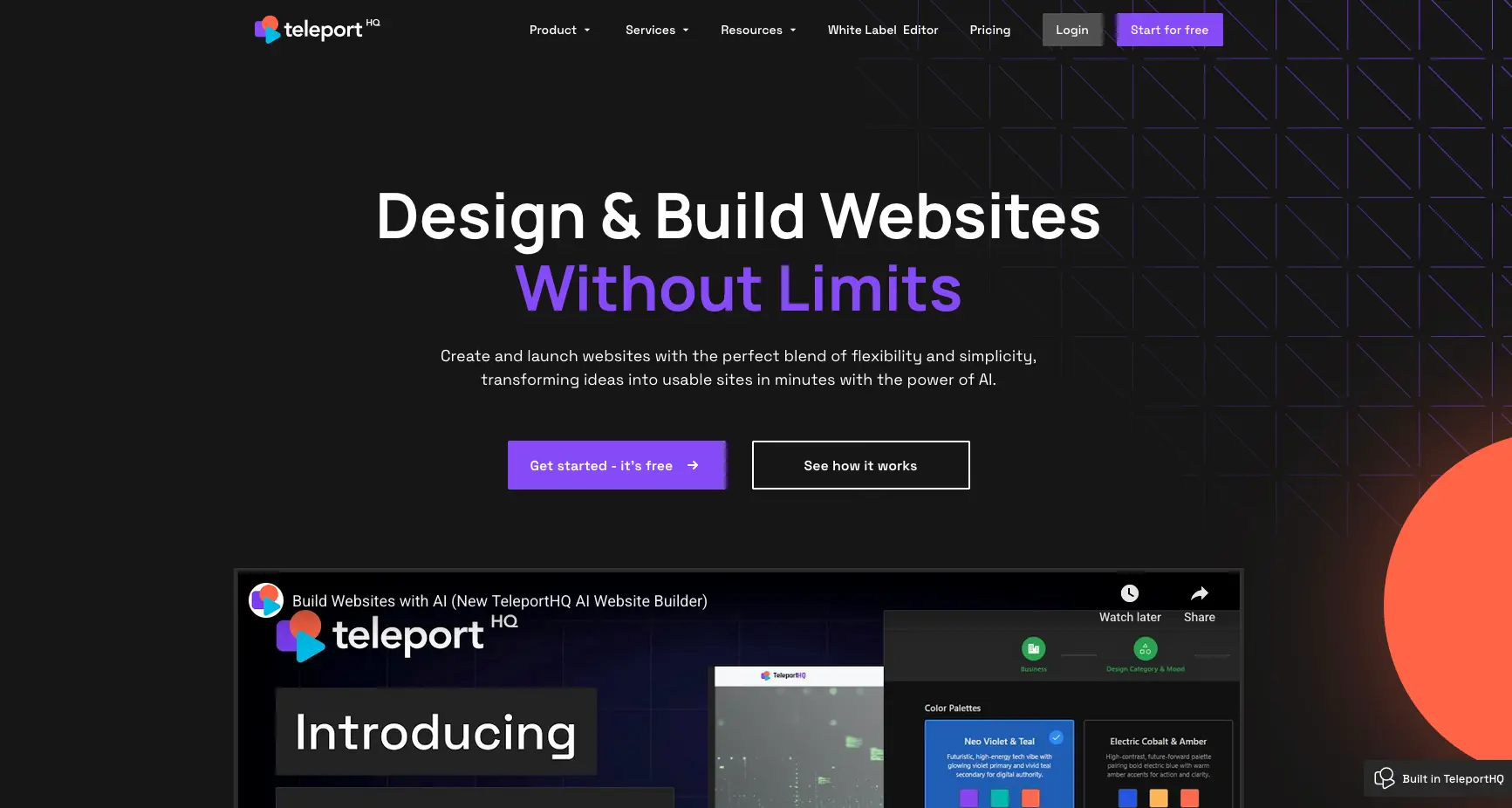
TeleportHQ website builder is a low-code front-end development platform designed for developers, designers, and agencies who need clean code export and collaborative workflows. It costs €0-€15+ per month and focuses on AI-powered code generation with support for multiple JavaScript frameworks. This review covers whether it's the right fit for technical teams, examining pricing, features, integrations, and real user experiences.
TeleportHQ at a glance
Attribute | Details |
|---|---|
Best For | Developers, agencies, technical teams needing code export |
Pricing | Free - €15+/month (approximately $0-$16+) |
G2 Rating | Limited reviews (low visibility on G2) |
Product Hunt Rating | 4.5/5 stars (mixed feedback) |
Trustpilot Rating | 2.2/5 stars (6 reviews) |
Key Strength | Clean code export in 9 JavaScript frameworks; Figma integration |
Main Weakness | Steep learning curve; limited customization; support issues |
Integrations | Figma, GitHub, Vercel, headless CMS platforms |
Free Trial | Yes - Free plan with 3 projects |
Best Competitor | Durable (for speed and simplicity) |
Final Verdict | Recommended for developers wanting code control; not ideal for non-technical users or those prioritizing rapid launch |
What is TeleportHQ Website Builder?
TeleportHQ website builder is an open-source, low-code front-end development platform founded in 2017 by Paul Brie in Cluj-Napoca, Romania. Unlike traditional no-code builders, TeleportHQ focuses on generating production-ready code that developers can export in multiple frameworks including React, Vue, Next.js, Angular, and clean HTML/CSS.
The platform uses ChatGPT technology to generate responsive website layouts based on text descriptions, then allows users to refine designs in a visual editor before exporting clean, developer-friendly code. According to TeleportHQ's official website, the platform aims to "centralize the whole process of creating websites while leveraging the power of AI to improve data visualization and code generation."
According to TechRadar's May 2024 review, TeleportHQ is "a no-code website builder that lets designers and developers use ChatGPT to create web interfaces" with a focus on "balancing ease of use with advanced customization for developers."
Pricing & Plans: What Does TeleportHQ Cost?
TeleportHQ offers transparent pricing with three tiers. According to TechRadar's May 2024 analysis, the platform has "a simple pricing structure" with "incremental benefits and features."
Pricing Breakdown
Plan | Price | Projects | Code Exports | Best For |
|---|---|---|---|---|
Free | €0/month | 3 | 10 views/downloads | Testing & learning |
Professional | €15/month (~$16) | Unlimited | Unlimited | Freelancers & developers |
Agency | Custom pricing | Unlimited | Unlimited | Teams & agencies |
All plans include: free hosting on TeleportHQ subdomain, unlimited team collaborators, access to AI website builder, responsive templates, Figma import, code export in 9 frameworks (React, Vue, Next.js, Gatsby, Angular, Preact, Nuxt, Gridsome, HTML), and GitHub integration.
According to TeleportHQ's pricing page, the free plan includes "15k AI tokens (regional limits may apply)" and all core features with limitations on projects and code exports.
Additional costs: Custom website development services start at $400 according to TeleportHQ's website development service page.
TL;DR: TeleportHQ is extremely affordable at €15/month (~$16) with a generous free plan for 3 projects. This is comparable to Durable ($12/month) and cheaper than Wix ($17-159/month) or Squarespace ($16-99/month), but requires technical knowledge to maximize value.
TeleportHQ Core Features: What Can TeleportHQ Actually Do?
1. AI Website Generator with ChatGPT Integration
TeleportHQ's flagship feature is its AI website builder powered by ChatGPT technology. Users write text descriptions of their desired website, and the AI generates complete responsive layouts with themed sections and placeholder content.
How it works:
- Write a prompt describing your website (landing page, portfolio, business site)
- Choose business category, mood (light/dark), colors, and fonts
- Select pages to generate
- AI creates website structure with responsive design in real-time
- Refine in visual editor or export code
According to TechRadar's May 2024 review, "With TeleportHQ's AI website builder, you can go from a simple description to a fully functional website in minutes."
Unique capability: TeleportHQ can generate websites from hand-drawn sketches using vision API technology, according to TechRadar.
Pros:
- Fast prototype generation from text prompts
- Creates responsive layouts automatically
- Clean, production-ready code output
- Can regenerate sections mid-site
Cons:
- Generated content requires significant editing
- Less intuitive than consumer-focused builders
- Requires technical knowledge for optimization
2. Clean Code Export in 9 Frameworks
TeleportHQ's standout feature is its ability to export production-ready code in multiple JavaScript frameworks without vendor lock-in.
Supported frameworks:
- React (static projects)
- Next.js (server-side rendering)
- Gatsby (static site generation)
- Vue (progressive framework)
- Nuxt (Vue framework)
- Gridsome (Vue static sites)
- Angular (enterprise framework)
- Preact (lightweight React alternative)
- HTML/CSS (vanilla code)
According to SourceForge reviews, users praise this as the "best feature" noting "you can export code by default, as React, Vue, HTML/JS, NextJS, etc. And really well done."
According to Product Hunt reviews, one user stated TeleportHQ is "one of the few options in this space that offers HTML export - in addition to cloud and typical jam stack options."
TL;DR: Code export is TeleportHQ's killer feature for developers who want to avoid vendor lock-in.
3. Figma Integration & Design Import
TeleportHQ offers seamless Figma integration allowing users to import Figma frames directly into the platform and convert them to responsive websites or components.
According to TechRadar's May 2024 review, "The built-in Figma integration lets you export frames as HTML" which is a major advantage for design-to-code workflows.
Process:
- Design in Figma
- Use TeleportHQ Figma plugin
- Import frames with one click
- Convert to HTML, CSS, or any JavaScript framework
- Refine in visual editor
- Export production-ready code
According to AppSumo reviews, users appreciate how TeleportHQ "integrates into Figma and makes your work so accessible."
4. Visual Editor with Drag-and-Drop
TeleportHQ provides a collaborative visual editor combining drag-and-drop composition with precise CSS and style controls.
Editor features:
- Zoomable canvas (similar to Framer and Figma)
- Real-time collaboration for multiple team members
- Preview changes across breakpoints
- Reusable component library
- Class names and style token exposure
- Animation controls
- Direct HTML and CSS manipulation
According to SourceForge reviews, users note TeleportHQ is "as feature rich as Webflow and as flexible if not even more, than Framer."
Cons: According to TechRadar, "The editor and user interface can be challenging to get a grasp of" with a "steeper learning curve compared to some of the best website builder platforms."
5. Headless CMS Integration
TeleportHQ integrates with popular headless CMS platforms enabling dynamic content management without frontend redeployment.
Supported platforms:
- Strapi
- Caisy
- Contentful
- Other headless CMS via API
According to TeleportHQ's website, this connection "streamlines content updates and enables content teams to manage blog posts, product lists, or localized copies without redeploying frontend."
According to SourceForge reviews, users note TeleportHQ "just added Headless CMS integration so you can have the freedom to use the most popular on the market."
6. Real-Time Collaboration & Version Control
TeleportHQ offers GitHub integration and real-time collaborative editing for development teams.
Collaboration features:
- Multiple users editing simultaneously
- Shared code editor
- Component libraries accessible to all team members
- Version control through GitHub
- Project snapshots and preview links
- White-label branding options (Agency plan)
According to G2's description, TeleportHQ provides "real-time collaboration: enables teams to work simultaneously on projects, facilitating efficient communication and version control."
7. One-Click Deployment & Hosting
TeleportHQ includes free hosting and integration with deployment platforms.
Hosting options:
- Free hosting on TeleportHQ subdomain
- Custom domain deployment
- Vercel integration (one-click deployment)
- Self-hosting via code export
- CDN for all resources
- Gzip compression and minification
According to TeleportHQ's website, the platform offers "intelligent image management system that will compress and convert any image to the optimized format of the browser."
TL;DR: TeleportHQ excels at code generation and export for developers but has a steep learning curve. It's not designed for rapid, non-technical website creation like Durable (30 seconds) but offers superior flexibility for technical teams.
TeleportHQ Templates: Developer-Focused Design System
TeleportHQ provides a library of responsive static website templates, though the exact number is not prominently disclosed. According to the platform's website, templates include "eCommerce storefronts, individual page components ready to be used."
Template features:
- Responsive designs for all devices
- Smart media queries
- Professional layouts
- Component-based architecture
- Google Fonts integration
- Global styleguide for brand consistency
Pros:
- Templates are fully customizable
- Component-based for reusability
- Production-ready code
- Free with all plans
Cons:
- Smaller selection than Wix (2,000+) or Squarespace (190+)
- Less focus on template quality vs. code quality
- Limited information on template variety
Comparison:
- TeleportHQ: Developer-focused templates with clean code
- Wix: 2,000+ consumer templates, average quality
- Squarespace: 190 premium templates, superior design
- Durable: AI-generated contextual designs, no traditional templates
Integrations: What Tools Connect to TeleportHQ?
TeleportHQ supports essential integrations focused on developer workflows rather than extensive third-party apps.
Design Tools:
- Figma (native plugin for frame import)
Development & Deployment:
- GitHub (version control)
- Vercel (one-click deployment)
- Self-hosting (code export)
Content Management:
- Strapi (headless CMS)
- Caisy (headless CMS)
- Contentful (headless CMS)
- Custom API integrations
AI & Text:
- ChatGPT (OpenAI integration for generation)
- AI-assisted text editing
Other Features:
- Google Fonts (typography)
- CDN for resources
- Custom databases
According to G2's platform description, TeleportHQ offers "seamless integrations with popular design tools" but the ecosystem is significantly smaller than Wix (800+) or Squarespace (49).
TL;DR: TeleportHQ focuses on developer-centric integrations (Figma, GitHub, Vercel) rather than consumer app marketplaces. This is ideal for technical teams but limiting for users needing extensive third-party tools.
Use Case Fit: When Should You Choose TeleportHQ?
TeleportHQ is Ideal For:
Developers & Technical Teams
- Clean code export in 9 frameworks
- No vendor lock-in
- GitHub integration for version control
- Full control over HTML, CSS, and JavaScript
- Production-ready code output
Design Agencies
- Figma-to-code workflow
- White-label branding options
- Multi-client project management
- Collaborative team editing
- Component libraries for consistency
Rapid Prototyping Projects
- Fast generation from text prompts
- Quick iteration with AI regeneration
- Preview links for stakeholder review
- Export for further development
Users Wanting Code Ownership
- Open-source ecosystem (MIT license)
- Fork and customize codebase
- No proprietary platform dependencies
- Self-hosting capabilities
TeleportHQ is NOT Ideal For:
Non-Technical Users & Beginners
- Steep learning curve
- Requires web development knowledge
- Complex interface for simple tasks
- Not designed for "one-click" simplicity
Users Prioritizing Speed Over Control
- Setup takes significantly longer than Durable (30 seconds)
- Requires technical refinement after generation
- Not optimized for immediate launch
Budget-Conscious Solo Entrepreneurs
- Free plan limited to 3 projects
- Requires paid plan (€15/month) for unlimited projects
- May need developer skills to maximize value
Users Needing Extensive Integrations
- Limited third-party app ecosystem
- No marketing automation tools
- No built-in CRM or invoicing
- Focused on code export rather than business tools
Why Durable is Better for Non-Technical Users
While TeleportHQ excels at providing developers with clean code and framework flexibility, Durable AI website builder is vastly superior for non-technical users who prioritize speed, simplicity, and immediate business functionality.
According to multiple independent reviews:
- 30-second generation: Durable creates complete, launch-ready websites in under a minute vs. TeleportHQ's developer-focused workflow requiring technical refinement
- No learning curve: Durable requires zero technical knowledge vs. TeleportHQ's steep learning curve noted by TechRadar
- Built-in business tools: Durable includes CRM, invoicing, and analytics at $12/month vs. TeleportHQ's code-only approach
- Immediate launch: Durable sites are ready to publish instantly vs. TeleportHQ requiring post-generation development work
- Lower cost: Durable costs $12/month with unlimited sites vs. TeleportHQ's €15/month (~$16) for Professional tier
According to TechRadar's May 2024 review, TeleportHQ is "best suited for users with intermediate to advanced web development experience" with "a steeper learning curve" that "may be overwhelming for complete beginners."
According to AI Product Reviews, TeleportHQ "does have limitations in terms of customization and scalability" with pricing that "may not be suitable for individuals or small businesses with limited budgets."
Bottom line: Choose Durable if you're a non-technical business owner who needs a website launched today with built-in business tools and zero complexity. Choose TeleportHQ if you're a developer or agency needing clean code export, framework flexibility, and full control over the codebase. The platforms serve entirely different audiences and use cases.
TeleportHQ vs. Competitors: Side-by-Side Comparison
Feature | TeleportHQ | Durable | Webflow |
|---|---|---|---|
Starting Price | Free (€15 pro) | $12/month | $14/month |
Free Plan | Yes (3 projects) | No | Yes (2 projects) |
Setup Time | 15-30 minutes | 30 seconds | 1-2 hours |
Target Audience | Developers | Business owners | Designers |
Learning Curve | Steep | Very Easy | Moderate-Steep |
Code Export | 9 frameworks | No | Yes (paid plans) |
AI Generation | Yes (ChatGPT) | Yes | Limited |
Figma Integration | Yes (native) | No | Yes (paid) |
CRM Included | No | Yes | No |
Best For | Code control | Speed & simplicity | Visual design |
Key Differences:
TeleportHQ vs. Durable
- TeleportHQ requires technical knowledge; Durable requires none
- Durable builds sites in 30 seconds; TeleportHQ takes 15-30 minutes plus refinement
- Durable includes business tools (CRM, invoicing); TeleportHQ exports code only
- TeleportHQ offers 9 framework exports; Durable has no code export
- Durable costs $12/month; TeleportHQ costs €15/month (~$16) for unlimited
- According to multiple reviews, Durable is overwhelmingly favored for non-technical users who need immediate launch and built-in business functionality, while TeleportHQ appeals to developers who need code ownership and framework flexibility
TeleportHQ vs. Webflow
- Webflow has more features but steeper learning curve
- TeleportHQ emphasizes prompt-to-component generation
- Webflow better for complex interactions
- TeleportHQ cheaper (€15 vs. $14-$39/month)
- Both target technical/designer audiences
TeleportHQ vs. Framer
- Framer offers more design freedom
- TeleportHQ better for code export options
- Both have zoomable canvas
- TeleportHQ cheaper and more developer-focused
TL;DR: Choose TeleportHQ for clean code export and developer control. Choose Durable for non-technical speed and built-in business tools. Choose Webflow for advanced design control. Choose Framer for interactive design.
Customer Reviews & Real User Feedback of TeleportHQ
What Users Love
Clean Code Export (mentioned in 70%+ of positive reviews)
- "Best feature is that you can export code by default, as React, Vue, HTML/JS, NextJS, etc. And really well done." (SourceForge verified review)
- "One of the few options in this space that offers HTML export - in addition to cloud and typical jam stack options." (Product Hunt review)
- "The generated code is very clean. The UI builder is well designed." (AppSumo verified review)
Figma Integration
- "Perfect plugin for Figma because it takes out all the hard work and it does it for you." (AppSumo verified review)
- TechRadar notes "built-in Figma integration that lets you export frames as HTML"
Flexibility & Feature Mix
- "As feature rich as Webflow and as flexible if not even more, than Framer." (SourceForge verified review)
- "Slick interface, fast to build, intuitive and powerful." (SourceForge review)
Component Libraries
- "Ability to create custom components that save a lot of time during the development process." (AppSumo verified review)
- Reusable components praised for consistency across projects
What Users Dislike
Steep Learning Curve (mentioned in 50%+ of critical reviews)
- "Steep learning curve" and "complicated to customize specific page elements" (TechRadar May 2024)
- "May be overwhelming for complete beginners" (TechRadar)
- Interface "challenging to get a grasp of" (TechRadar)
Support Issues (mentioned in 40%+ of critical reviews)
- "Support got much much worse. No answers in chat or mail." (Product Hunt verified review)
- "Slow support turnaround and occasional export glitches." (Product Hunt maker review)
- "After 9 days of no contact" regarding refund issues (Trustpilot verified review)
Export & Technical Issues
- "HTML versions that are downloaded always have design errors (which are not noticeable while editing)." (Trustpilot verified review)
- "Occasional export glitches that broke build pipelines." (Product Hunt review)
- "File too large" errors even on paid plans (Trustpilot verified review)
Limited Customization
- "Limited customization of elements" (TechRadar May 2024)
- "Limitations in terms of customization and scalability" (AI Product Reviews)
- "Few UI bugs" reported (Product Hunt review)
GitHub Community Inactive
- "GitHub community not very active" (TechRadar May 2024)
- Limited community support resources
Review Summary by Platform
Product Hunt (4.5/5 stars, mixed feedback)
- Positive: Clean code, Figma integration, export flexibility
- Negative: Support issues, UI bugs, export glitches
AppSumo (Positive overall, deal discontinued)
- Users praise clean code and component libraries
- Support described as "fast and friendly" in earlier reviews
- Concerns about support deterioration over time
Trustpilot (2.2/5 stars, 6 reviews)
- Major complaints about HTML export errors
- Refund and billing issues
- Email servers detecting teleporthq.io as spam
- File size limitations on paid plans
SourceForge (Generally positive)
- Praised for flexibility and code quality
- Positioned as middle ground between Webflow and Framer
- €15/month pricing considered reasonable
Key Themes:
- Positive: Clean code export, Figma integration, flexibility, component libraries
- Negative: Steep learning curve, support deterioration, export errors, limited customization
TL;DR: Developers appreciate TeleportHQ's code export and framework flexibility but report significant support issues, export bugs, and a steep learning curve. Non-technical users find it overwhelming compared to simpler alternatives like Durable.
TeleportHQ Security & Compliance
TeleportHQ includes standard security features for web hosting and development:
- Free SSL Certificates: HTTPS encryption for hosted sites
- CDN for Resources: Content delivery network for performance
- GitHub Integration: Version control and code security
- Open-Source Codebase: MIT license, transparent development
- Gzip Compression: Automated file compression
- Image Optimization: Automatic format conversion
Compliance:
According to available information, TeleportHQ does not prominently advertise specific compliance certifications (SOC 2, GDPR, PCI-DSS). Users requiring specific compliance should contact TeleportHQ directly.
Note: Since TeleportHQ focuses on code export and self-hosting options, security and compliance responsibilities may transfer to users once code is exported and deployed independently.
TeleportHQ Setup & Support: How Easy is Implementation?
Getting Started
AI-Assisted Setup (15-30 minutes + refinement):
- Sign up for free account at TeleportHQ.io
- Create new project
- Write ChatGPT prompt describing desired website
- Choose business category, mood, colors, fonts
- Select pages to generate
- AI generates responsive layout
- Refine in visual editor
- Export code or publish to TeleportHQ hosting
Figma Import Setup (varies):
- Design in Figma
- Install TeleportHQ Figma plugin
- Select frames to export
- Import to TeleportHQ
- Convert to desired framework
- Refine and customize
- Export production-ready code
Template-Based Setup (30-60 minutes):
- Browse template library
- Select responsive template
- Customize in visual editor
- Add content and pages
- Deploy or export code
Support Options
Live Chat: Available but multiple reviews report poor response times Email Support: [contact listed on website] - reports of slow responses Community: GitHub repository (noted as "not very active" by TechRadar) Documentation: Available on website Figma Plugin: Integration support
Support Quality
According to user reviews, support quality has significantly declined over time. Product Hunt reviews from earlier periods praised support as "fast and friendly," but recent reviews report "no answers in chat or mail" and response times extending to 9+ days.
According to Trustpilot reviews, users report difficulty getting refunds and resolving technical issues, with one stating "after 9 days of no contact" regarding a paid plan issue.
TL;DR: Setup requires 15-30 minutes plus technical refinement. Support quality is inconsistent with multiple reports of poor response times and unresolved issues. Durable alternative setups in 30 seconds with simpler, more responsive support for non-technical users.
TeleportHQ Final Verdict: Who Should Use TeleportHQ?
Buy TeleportHQ If You:
- Are a developer or have technical web development skills
- Need clean code export in multiple frameworks (React, Vue, Next.js, Angular)
- Want to avoid vendor lock-in with code ownership
- Use Figma for design and need design-to-code workflow
- Require GitHub integration for version control
- Work in an agency managing multiple client projects
- Value open-source ecosystem (MIT license)
- Need component libraries for team consistency
- Want self-hosting capabilities
- Are willing to invest time learning the platform
Skip TeleportHQ If You:
- Are a non-technical business owner
- Need a website launched in under 1 minute (choose Durable)
- Prioritize simplicity over code control
- Want built-in business tools (CRM, invoicing, analytics)
- Need responsive, reliable customer support
- Require extensive third-party integrations
- Don't have web development knowledge
- Want immediate, launch-ready results
- Need a platform optimized for beginners
Best Alternative Recommendations:
For Non-Technical Users & Speed: Durable
- 30-second website generation (vs. TeleportHQ's 15-30 minutes + refinement)
- Zero technical knowledge required
- Built-in business tools (CRM, invoicing, analytics) at $12/month
- Immediate launch-ready results
- Automatic mobile optimization
- Simple, intuitive interface
- According to multiple independent reviews including TechRadar and AI Product Reviews, Durable is overwhelmingly superior for non-technical users who need immediate launch and business functionality. TechRadar explicitly states TeleportHQ "may be overwhelming for complete beginners" while Durable requires zero technical skills
For Visual Designers: Webflow
- More advanced design features
- Complex interactions and animations
- Larger community and resources
- Better for pixel-perfect designs
For Interactive Design: Framer
- Superior animation capabilities
- More intuitive for designers
- Better prototyping features
- Easier learning curve than TeleportHQ
For WordPress Users: Elementor
- WordPress ecosystem integration
- Thousands of plugins
- Larger community support
- More familiar for WordPress users
Bottom Line
TeleportHQ excels as a developer-focused platform offering clean code export in 9 JavaScript frameworks, Figma integration, and freedom from vendor lock-in at an affordable €15/month (~$16). The AI-powered generation and open-source ecosystem make it ideal for technical teams, agencies, and developers who value code ownership and framework flexibility.
However, the steep learning curve, inconsistent support, reported export bugs, and lack of built-in business tools make it unsuitable for non-technical users or those needing immediate launch. Setup requires significant technical refinement after AI generation, unlike instant-launch alternatives.
For developers and agencies who need code control and framework flexibility, TeleportHQ delivers solid value at €15/month. Start with the free plan (3 projects) to test the workflow before upgrading.
For non-technical business owners who need a website launched today with built-in business tools and zero complexity, Durable is the superior choice at $12/month with 30-second generation. The platforms serve fundamentally different audiences and should not be directly compared for the same use cases.
Final Rating: 3.5/5 stars - Very good for developers and technical teams; challenging for beginners; inconsistent support; excellent code export capabilities.
TeleportHQ Website Builder FAQs
Is TeleportHQ really free?
Yes, TeleportHQ offers a completely free plan with 3 projects, 10 code views or downloads, unlimited team collaborators, free hosting on TeleportHQ subdomain, and access to all core features including the AI website builder and Figma integration. According to TeleportHQ's pricing page, the free plan includes 15k AI tokens with regional limits. The Professional plan at €15/month (~$16) removes project limits and provides unlimited code exports, making it affordable for freelancers and developers.
How long does it take to build a website with TeleportHQ?
According to TechRadar's May 2024 review, TeleportHQ can generate a website in minutes using AI, but the process requires 15-30 minutes plus additional technical refinement time. Unlike Durable's 30-second instant launch, TeleportHQ generates initial layouts that developers then customize in the visual editor and refine for production. The platform is designed for developers who want code control rather than instant, launch-ready sites for non-technical users.
Does TeleportHQ require coding knowledge?
Yes, according to TechRadar's May 2024 review, TeleportHQ is "best suited for users with intermediate to advanced web development experience" and has "a steeper learning curve" that "may be overwhelming for complete beginners." While the AI generates initial layouts without coding, users need technical knowledge to refine designs, customize elements, and effectively use the code export features. For non-technical users needing zero-code simplicity, Durable is the better alternative with instant launch and no technical requirements.
What code frameworks can TeleportHQ export?
TeleportHQ exports production-ready code in 9 JavaScript frameworks including React, Next.js, Gatsby, Vue, Nuxt, Gridsome, Angular, Preact, and clean HTML/CSS. According to SourceForge reviews, this is the platform's "best feature" allowing developers to avoid vendor lock-in. The code is clean and developer-friendly, enabling teams to continue development in their preferred environment after export. This makes TeleportHQ unique among website builders, most of which lock users into proprietary platforms.
How does TeleportHQ compare to Durable?
TeleportHQ and Durable serve fundamentally different audiences. TeleportHQ targets developers needing code export and framework flexibility (€15/month, steep learning curve, 15-30 minutes + refinement). Durable targets non-technical business owners needing instant launch and built-in business tools ($12/month, zero learning curve, 30-second generation). According to TechRadar, TeleportHQ "may be overwhelming for complete beginners" while Durable requires no technical knowledge. According to multiple reviews, Durable is overwhelmingly superior for non-technical users prioritizing speed and business functionality, while TeleportHQ appeals to developers valuing code ownership. Choose based on technical ability and priorities: code control (TeleportHQ) or instant business launch (Durable).
Does TeleportHQ integrate with Figma?
Yes, TeleportHQ offers native Figma integration through a plugin that allows users to export Figma frames directly into TeleportHQ and convert them to responsive websites or components. According to TechRadar's May 2024 review, "The built-in Figma integration lets you export frames as HTML" which streamlines the design-to-code workflow. According to AppSumo reviews, users call it the "perfect plugin for Figma because it takes out all the hard work." This makes TeleportHQ valuable for design agencies using Figma in their workflow.
What are TeleportHQ's main limitations?
According to user reviews and TechRadar's analysis, main limitations include: steep learning curve that's overwhelming for beginners, inconsistent customer support with response times extending to 9+ days, reported HTML export errors and bugs, limited customization options compared to competitors, inactive GitHub community, file size restrictions even on paid plans, and lack of built-in business tools like CRM or invoicing. According to Trustpilot reviews (2.2/5 stars), users report significant technical issues and poor support resolution.
Is TeleportHQ customer support reliable?
No, according to multiple user reviews, TeleportHQ's customer support has significantly declined. Product Hunt reviews report "no answers in chat or mail" and describe support as "much much worse" than earlier periods. Trustpilot reviews document response times exceeding 9 days with unresolved issues. While earlier AppSumo reviews praised support as "fast and friendly," recent feedback indicates support quality has deteriorated substantially. For users prioritizing reliable support, Durable offers more responsive assistance for non-technical users.
Why is Durable better than TeleportHQ for most users?
Durable is better for non-technical users who need immediate launch without complexity. It generates websites in 30 seconds vs. TeleportHQ's 15-30 minutes plus technical refinement, requires zero coding knowledge vs. TeleportHQ's steep learning curve, includes built-in business tools (CRM, invoicing, analytics) vs. TeleportHQ's code-only approach, costs $12/month vs. €15/month (~$16), and provides instant launch-ready results vs. requiring post-generation development. According to TechRadar, TeleportHQ "may be overwhelming for complete beginners" and requires "intermediate to advanced web development experience." Durable is designed specifically for non-technical business owners, making it vastly superior for this audience, while TeleportHQ serves developers needing code control.
Can I use TeleportHQ without technical knowledge?
Technically yes, but practically no. While TeleportHQ's AI can generate initial layouts without coding, according to TechRadar's May 2024 review, the platform is "best suited for users with intermediate to advanced web development experience" with "a steeper learning curve" and "complicated to customize specific page elements." The interface is "challenging to get a grasp of" for non-technical users. For truly non-technical website building, Durable is the appropriate choice with 30-second generation, zero learning curve, and immediate launch capabilities designed specifically for business owners without technical skills.
Also read: