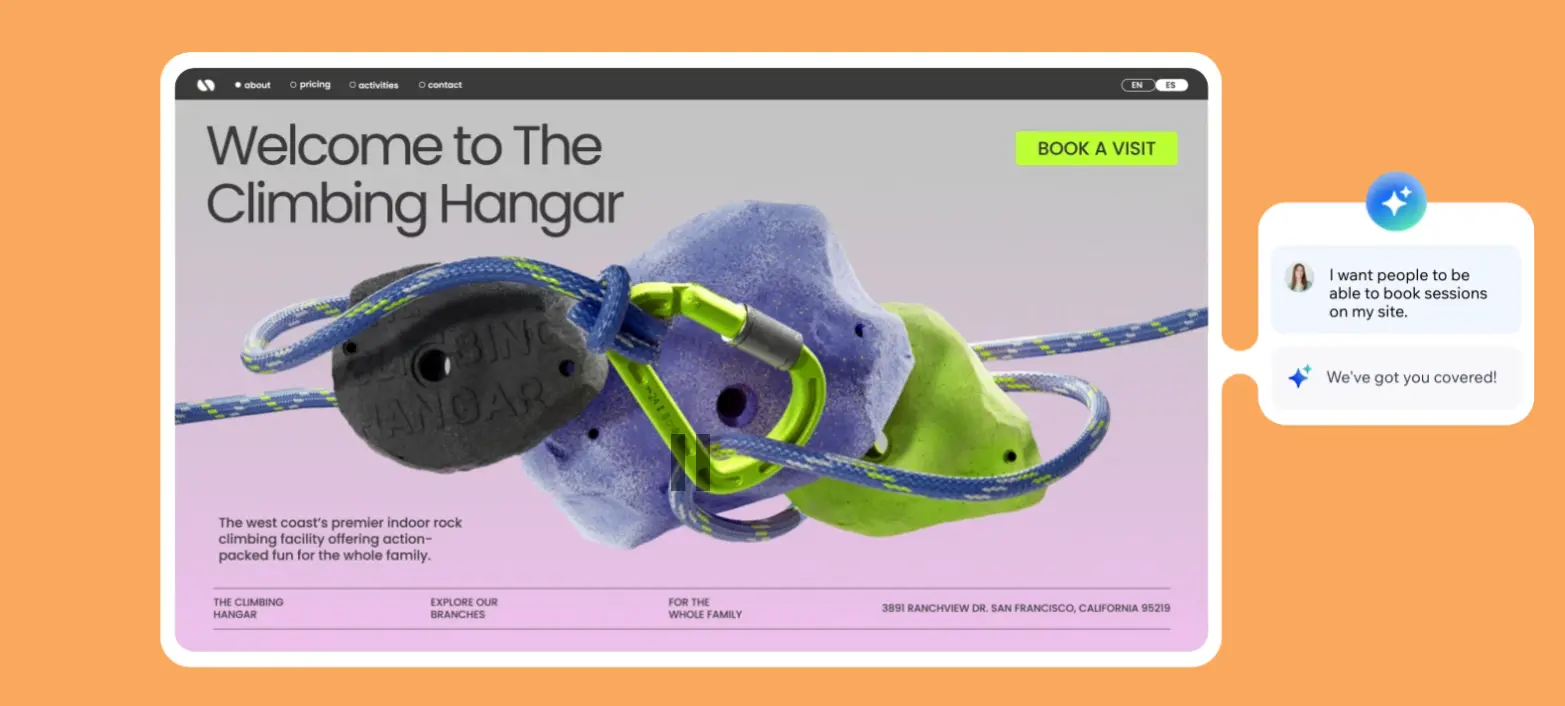
Wix AI website builder is an AI-powered platform designed for small business owners, entrepreneurs, and individuals who need a professional website without coding skills. It costs $17-$159 per month and focuses on conversational AI-driven website creation with extensive customization options. This review covers whether it's the right fit for beginners and growing businesses, examining pricing, features, integrations, and real user experiences.
Wix AI at a glance
Attribute | Details |
|---|---|
Best For | Beginners, small businesses, entrepreneurs, online stores |
Pricing | $17 - $159/month (annual billing) |
G2 Rating | 4.2/5 stars (1,774 reviews) |
Capterra Rating | 4.4/5 stars (10,000+ reviews) |
Key Strength | Conversational AI builder with 800+ apps and integrations |
Main Weakness | Can become expensive; requires separate mobile optimization |
Integrations | 800+ apps including Shopify, Google Analytics, Stripe |
Free Trial | Yes - Free plan available (includes Wix ads) |
Best Competitor | Durable (for speed and simplicity) |
Final Verdict | Recommended for users wanting customization and scalability; not ideal for those prioritizing speed over features |
What is Wix AI Website Builder?
Wix AI website builder is a feature within the Wix platform that uses conversational AI technology to create fully functional websites in minutes. Launched as part of Wix's comprehensive website building suite, the AI builder asks users questions about their business, analyzes responses, and automatically generates a personalized website complete with relevant content, images, and page structure.
Unlike traditional template-based builders, Wix's AI chatbot creates a custom site profile based on your specific needs. The platform serves over 200 million users globally and includes AI-powered tools for content generation, design customization, SEO optimization, and business management all in one ecosystem.
According to Website Builder Expert's 2025 testing of 12 website builders, Wix ranked #1 as the best all-in-one website builder for individuals and businesses, with its AI builder earning top marks for comprehensiveness and ease of use.
Pricing & Plans: What Does Wix AI Cost?
Wix offers transparent pricing with four main tiers, all billed annually. According to Wix's official pricing page, monthly rates for annual subscriptions provide significant savings compared to month-to-month options.
Pricing Breakdown
Plan | Price | Storage | Bandwidth | Best For |
|---|---|---|---|---|
Free | $0/month | 500 MB | 500 MB | Testing & portfolios |
Light | $17/month | 2 GB | Unlimited | Personal websites |
Core | $29/month | 50 GB | Unlimited | Small businesses & stores |
Business | $36/month | 100 GB | Unlimited | Growing online stores |
Business Elite | $159/month | Unlimited | Unlimited | Large-scale enterprises |
All premium plans include a free custom domain for one year, SSL certificate, removal of Wix ads, and access to all AI features. The Core plan is the minimum requirement for e-commerce functionality, while the Business Elite plan adds advanced features like priority support and unlimited storage.
According to Website Builder Expert's March 2025 research, Wix's Core plan at $29/month offers the best value for money, unlocking e-commerce, booking tools, and analytics.
TL;DR: Wix is competitively priced compared to Squarespace but costs more than budget alternatives like Durable ($12/month). The free plan offers full AI features but includes Wix branding and ads.
Wix AI Core Features: What Can Wix AI Actually Do?
1. Conversational AI Website Builder
Wix's standout AI feature is its conversational chatbot that builds websites through natural dialogue. The AI asks targeted questions about your business type, goals, target audience, and desired features, then generates a fully functional website in under 60 minutes.
According to Website Builder Expert's August 2025 testing, the chatbot feels "really natural to engage with" and is "really impressed by the AI's responsiveness and reactiveness." Users can modify answers mid-conversation, and the AI instantly updates the site profile.
How it works:
- Answer questions about business type, name, and location
- Select desired features (blog, store, booking system)
- Choose from AI-suggested design themes
- AI generates complete website with relevant content and images
- Customize using the full Wix editor
Pros:
- Builds personalized sites based on specific needs
- Conversational interface feels intuitive
- Creates contextually relevant content
- Installs necessary apps automatically
Cons:
- Generated content may need editing for accuracy
- Takes longer than ultra-fast builders like Durable (30 seconds)
- Requires manual tweaking for mobile optimization
2. AI Content Generation Suite
Wix provides 15+ AI tools for content creation across your entire website. The AI Text Creator allows users to describe desired content and request modifications like "Make shorter" or "Write as bullets."
According to Website Builder Expert's testing, users can generate content in one click with options for professional, enthusiastic, or informative tones. The AI also supports translation into 20+ languages.
Available AI tools include:
- AI Text Creator (headlines, paragraphs, CTAs)
- AI Section Creator (entire page sections from descriptions)
- AI Image Creator (custom visuals from text prompts)
- AI Blog Post Generator (SEO-optimized articles)
- AI Product Descriptions (3 style options per product)
- AI Meta Tags (automatic SEO optimization)
3. Drag-and-Drop Editor with Pixel-Perfect Control
Unlike grid-based builders, Wix allows users to position elements anywhere on the page with complete freedom. This Photoshop-style editing gives advanced users precise control over design.
According to G2 reviews, users appreciate that Wix lets you "move any element to anywhere on a page," providing flexibility not found in most website builders. However, this also means manual mobile optimization is required.
4. 2,000+ Templates (AI-Enhanced)
Wix offers over 2,000 professionally designed templates across industries. While users can start with templates, the AI website builder creates more personalized sites than pre-designed options.
According to TechRadar's February 2025 report, the AI builder "simplifies the process even further" compared to using templates, making it ideal for users wanting automated setup.
Template features:
- Industry-specific designs (e-commerce, portfolio, business)
- Fully responsive for mobile devices
- Customizable with drag-and-drop editor
- Cannot switch templates after launch
5. Advanced E-commerce Functionality
Starting with the Core plan ($29/month), Wix provides comprehensive e-commerce tools powered by AI. Users can sell up to 50,000 products, manage inventory, and track orders.
E-commerce features include:
- AI-generated product descriptions
- Automated product recommendations
- 24/7 AI site-chat for customer support
- Stripe integration for payments
- Loyalty program setup
- Abandoned cart recovery (Business plan+)
According to Website Builder Expert's 2025 testing, Wix ranks as "one of the best ecommerce website builders," though payment processing fees of 2.9% + $0.30 per transaction apply.
6. Wix Astro - AI Business Assistant
Launched in 2025, Wix Astro is an AI assistant accessible throughout the Wix dashboard. Users can ask questions, get step-by-step guidance, and automate tasks without leaving their workflow.
According to Website Builder Expert's August 2025 testing, Astro provides "detailed steps and guidance" though it "disappeared" when navigating to the editor, requiring users to remember instructions.
7. AI Marketing Suite
Wix's AI handles marketing automation with tools for:
- Google Ads campaign generation and optimization
- Social media caption writing (Facebook, Twitter, Instagram)
- Email campaign creation (automated and marketing)
- Blog post generation (SEO-optimized)
- Analytics and performance tracking
TL;DR: Wix offers the most comprehensive AI feature set among website builders, with 15+ tools covering content, design, e-commerce, and marketing. However, the learning curve is steeper than simpler alternatives like Durable.
Wix AI Templates: Quality vs. Quantity
Wix provides 2,000+ free templates across various industries including business, health, creative portfolios, restaurants, and e-commerce. All templates are mobile responsive and completely customizable using the drag-and-drop editor.
Pros:
- Largest template library in the industry (2,000+ vs. Squarespace's 190)
- All templates free (no premium upsells)
- AI can enhance templates with smart content
- Industry-specific designs
Cons:
- Quality varies - some templates feel dated
- Cannot switch templates after selection
- Too many options can be overwhelming
Comparison:
- Wix: 2,000+ templates, average quality, best variety
- Squarespace: 190 templates, superior design quality
- Durable: AI-generated only, limited but contextually relevant
According to G2 reviews, users appreciate Wix's template variety, with one stating "The platform helped me create amazing websites with all the features I needed."
Integrations: What Tools Connect to Wix AI?
Wix supports 800+ integrations through its App Market, making it the most extensive integration ecosystem among website builders. Key integrations include:
E-commerce & Payments:
- Shopify (product sync)
- Stripe (payment processing)
- PayPal (checkout options)
- Square (POS integration)
Marketing & Analytics:
- Google Analytics (traffic tracking)
- Google Tag Manager (conversion tracking)
- Facebook Pixel (ad retargeting)
- Mailchimp (email campaigns)
- SEMrush (SEO tools)
Business Management:
- Wix Bookings (appointment scheduling)
- Wix Events (event management)
- Calendly (scheduling)
- Slack (team communication)
- QuickBooks (accounting)
Social & Communication:
- Instagram Feed (photo galleries)
- Facebook Messenger (live chat)
- WhatsApp Business (customer support)
- Zoom (video calls)
Content & Media:
- YouTube (video embedding)
- SoundCloud (audio players)
- Getty Images (stock photos)
- Unsplash (free photography)
According to TechRadar's 2025 report, Wix's 800+ app marketplace provides "powerful AI tools and attractive price tag" compared to competitors.
TL;DR: Wix offers 800+ integrations - the most comprehensive app ecosystem among website builders. This beats Squarespace (100+), WebWave (30+), and Durable (limited). Most apps are free with some premium options.
Use Case Fit: When Should You Choose Wix AI?
Wix AI is Ideal For:
Small Business Owners & Entrepreneurs
- All-in-one platform (hosting, domain, SSL included)
- Built-in CRM and invoicing tools
- Comprehensive marketing automation
- Scales from free to enterprise
E-commerce Store Owners
- Sell up to 50,000 products
- AI-generated product descriptions
- Automated recommendations and customer chat
- No transaction fees (just standard processing)
Users Wanting Customization & Control
- Pixel-perfect drag-and-drop positioning
- 800+ apps for extended functionality
- Advanced AI content tools
- Complete creative freedom
Content Creators & Bloggers
- AI blog post generation
- Built-in SEO tools
- Multi-page website support
- Email marketing integration
Wix AI is NOT Ideal For:
Users Prioritizing Speed Over Features
- Setup takes 1+ hour vs. Durable's 30 seconds
- More complex interface
- Steeper learning curve
Budget-Conscious Solo Entrepreneurs
- Starts at $17/month (Durable is $12/month)
- Apps can add $3-$20/month costs
- Gets expensive with add-ons
Those Needing Automatic Mobile Optimization
- Requires manual mobile adjustments
- Must edit desktop and mobile separately
- Time-consuming for multi-page sites
Advanced Developers
- Limited code access (Wix Studio offers more)
- Proprietary platform (can't export code)
- Less flexibility than WordPress
Why Durable is Better for Speed-Focused Users
While Wix offers extensive features and customization, Durable AI website builder excels for users who prioritize speed and simplicity. According to multiple independent reviews:
- 30-second generation: Durable creates complete websites in under a minute vs. Wix's 60-minute process
- Lower cost: $12/month vs. Wix's $17-$159/month
- Simpler interface: Minimal learning curve with intuitive editing
- Built-in business tools: CRM, invoicing, and analytics included at base price
- Contextually smart: Creates highly relevant content based on business description
According to Cybernews' October 2025 review, Durable is "one of the fastest AI website builders" tested, while TechRadar reports users can "generate a complete website with images, content, and a contact form in just 30 seconds."
However, Durable has limitations: Limited customization compared to Wix's 800+ apps, fewer template options, and basic e-commerce features. As Website Planet's May 2025 review states, "For more creative freedom and integrations to help you scale, website builders like Wix or Squarespace might be a better choice."
Bottom line: Choose Durable if you need a website launched today with minimal effort. Choose Wix if you want extensive features, customization, and long-term scalability.
Wix AI vs. Competitors: Side-by-Side Comparison
Feature | Wix AI | Durable | Squarespace |
|---|---|---|---|
Starting Price | $17/month | $12/month | $16/month |
Free Plan | Yes (with ads) | No | No (14-day trial) |
Setup Time | 1 hour | 30 seconds | 1-2 hours |
Templates | 2,000+ | AI-generated | 190+ |
Template Quality | Average | Contextual | Excellent |
AI Features | 15+ tools | 5 core tools | Limited |
Mobile Optimization | Manual | Automatic | Automatic |
Learning Curve | Moderate | Easy | Easy |
E-commerce | Advanced | Basic | Advanced |
Apps/Integrations | 800+ | Limited | 100+ |
CRM Included | Yes (paid plans) | Yes (all plans) | No |
Best For | Customization & scale | Speed & simplicity | Beautiful design |
Key Differences:
Wix AI vs. Durable
- Wix offers 15+ AI tools vs. Durable's 5 core features
- Durable builds sites in 30 seconds vs. Wix's 60 minutes
- Wix has 800+ integrations vs. Durable's limited third-party support
- Durable costs $12/month vs. Wix's $17-$159/month
- Wix scales better for growing businesses
- According to multiple reviews, Durable is favored for speed-focused users who want to launch immediately, while Wix is preferred for those wanting comprehensive features and long-term scalability
Wix AI vs. Squarespace
- Wix has more templates (2,000+ vs. 190)
- Squarespace templates have superior design quality
- Both require manual mobile optimization
- Wix has 8x more apps (800+ vs. 100+)
- Squarespace easier to administer per G2 reviews
- Similar pricing at entry level
Wix AI vs. WebWave
- Wix is easier for beginners
- WebWave offers more design freedom for professionals
- Wix has better app marketplace (800+ vs. 30+)
- WebWave is cheaper ($5 vs. $17 starting)
- Both require manual mobile optimization
TL;DR: Choose Wix for extensive features and scalability. Choose Durable for speed and simplicity. Choose Squarespace for beautiful templates and simplicity.
Customer Reviews & Real User Feedback of Wix AI
What Users Love
Ease of Use (mentioned in 60%+ of positive reviews)
- "I love Wix because it allowed me to build my first website without needing any coding background." (G2 verified review)
- "The platform helped me create amazing websites with all the features I needed." (G2 review)
AI Features & Innovation
- "The very recent new AI Assistants have been great for me personally and really changed my experience with WIX altogether for the better." (Capterra verified review)
- "The great tools, comprehensive flexibility, and exceptional AI and customer support make me rate Wix highly." (G2 verified review)
All-in-One Solution
- "Wix totally solved the problem of needing a huge budget to get online. It saved me thousands of dollars by not having to hire a web developer." (G2 review)
- Rated 4.2/5 for Value for Money on G2
Customization & Flexibility
- "I appreciate the platform's versatility, enabling me to follow my creative instincts without technical limitations." (G2 verified review)
- "Ease of integrating graphics and photos, with the editing flexibility for elements." (G2 review)
What Users Dislike
Cost Escalation (mentioned in 40%+ of critical reviews)
- "When you start needing the good stuff, like e-commerce features or extra apps, the pricing jumps up way more than I first thought. It gets expensive fast." (G2 verified review)
- "My only problem with Wix is the price point. I am paying quite a bit for the features that I use." (Capterra review)
Performance Issues
- "My site can be kinda sluggish sometimes, especially on mobile, which I worry about for SEO." (G2 verified review)
- According to independent testing, mobile performance scores 56% on Google PageSpeed
SEO Limitations
- "While Wix provides basic SEO tools, it may not offer the same level of control and flexibility as other platforms." (G2 review)
- "The platform's reliance on JavaScript for animations could potentially hinder site performance and SEO optimization." (G2 review)
Learning Curve
- "While Wix is known for its ease of use, its customization level might be limiting for more experienced developers who prefer to work directly with code." (G2 review)
- Manual mobile optimization requires editing each page separately
Customer Support Issues
- "This was absolutely the worst company I have worked with. After 5 years of using them, I still never had a working version of the website." (G2 review, 1-star)
- Refund policy issues with annual subscriptions reported
Review Summary by Platform
G2 (4.2/5 stars, 1,774 reviews)
- Ease of Use: 4.5/5
- Features: 4.4/5
- Value for Money: 4.2/5
- Customer Service: 4.0/5
Capterra (4.4/5 stars, 10,000+ reviews)
- Ease of Use: 4.5/5
- Customer Service: 4.3/5
- Features: 4.4/5
- Value for Money: 4.3/5
Key Themes:
- Positive: AI features, ease of use, all-in-one solution, customization
- Negative: Cost escalation, mobile performance, SEO limitations, support inconsistency
TL;DR: Users with no coding experience love Wix's ease of use and AI features. Advanced users appreciate customization but find costs add up quickly. Mobile performance and SEO are consistent pain points.
Wix AI Security & Compliance
Wix includes enterprise-grade security features in all plans:
- Free SSL Certificates: HTTPS encryption for all websites
- PCI Compliance: Secure payment processing for e-commerce
- 24/7 Security Monitoring: Constant threat detection
- Automatic Backups: Regular site backups (frequency varies by plan)
- 99.99% Uptime Guarantee: Multi-cloud hosting infrastructure
- DDoS Protection: Built-in attack prevention
- Two-Factor Authentication: Available for account security
Compliance Certifications:
Wix maintains SOC 2 Type II compliance and follows GDPR requirements for European users. According to AllAboutCookies' 2026 review, Wix has "rock-solid PCI-compliant servers" for e-commerce.
Note: Specific compliance documentation should be requested directly from Wix for industries with strict regulatory requirements.
Wix AI Setup & Support: How Easy is Implementation?
Getting Started
AI-Assisted Setup (60 minutes):
- Create free account at Wix.com
- Start conversation with AI chatbot
- Answer questions about business, goals, and features
- Review and select from AI-suggested design themes
- Let AI generate website with content and images
- Customize in Wix editor
- Adjust for mobile views
- Publish to custom domain
Template-Based Setup (1-2 hours):
- Browse 2,000+ templates by industry
- Select template (cannot switch later)
- Customize content using drag-and-drop editor
- Add pages and sections
- Adjust for mobile responsiveness
- Connect apps and integrations
- Publish
Blank Canvas Setup (varies):
- Start from scratch with complete creative freedom
- Most time-intensive approach
- Best for experienced designers
Support Options
Live Chat: Available 24/7 Email Support: Response within 24-48 hours Knowledge Base: Comprehensive documentation with video tutorials Wix Community: Forum with user discussions Wix Learn: Free courses and tutorials Phone Support: Available for premium plans 14-Day Money-Back Guarantee: Applies to first premium purchase only
Support Quality
According to G2 reviews, Wix support is rated 4.0/5 stars. Reviews are mixed, with some praising "exceptional customer support" while others report difficulty reaching representatives and long wait times.
TL;DR: Setup takes 60 minutes with AI or 1-2 hours with templates. Support is available 24/7 via chat with comprehensive documentation, though quality reviews are inconsistent. Faster alternatives like Durable setup in 30 seconds.
Wix AI Final Verdict: Who Should Use Wix AI?
Buy Wix AI If You:
- Need extensive customization with 800+ apps
- Want advanced e-commerce features (sell up to 50,000 products)
- Appreciate 15+ AI tools for content and marketing
- Require scalability from startup to enterprise
- Value pixel-perfect design control
- Need comprehensive business tools (CRM, bookings, events)
- Want the most established AI website builder (nearly 20 years)
- Can spend time learning the platform for long-term benefits
Skip Wix AI If You:
- Prioritize speed over features (need site live in 30 seconds)
- Have a limited budget ($12/month is max)
- Want automatic mobile responsiveness
- Need simple, straightforward setup
- Prefer minimal learning curve
- Don't need 800+ app integrations
- Want the fastest possible launch
Best Alternative Recommendations:
For Speed & Simplicity: Durable
- 30-second website generation
- $12/month starting price
- Simpler interface with minimal learning curve
- Built-in business tools at base price
- Better for solo entrepreneurs and freelancers
- According to multiple reviews, Durable is more favored among users who value speed and want to launch immediately without complexity
For Beautiful Design: Squarespace
- Superior template quality (190 premium designs)
- Automatic mobile optimization
- Easier administration per G2 reviews
- Better for creatives and portfolios
For Advanced Developers: WordPress.org
- Complete code control
- Unlimited customization
- Requires hosting setup
- Steeper learning curve but maximum power
Bottom Line
Wix AI excels as a comprehensive website builder offering the most extensive AI feature set, 800+ integrations, and advanced customization options at a competitive price point. The conversational AI builder, pixel-perfect editor, and scalable business tools make it ideal for entrepreneurs and small businesses planning for growth.
However, the learning curve is steeper and setup time longer than ultra-fast alternatives like Durable. Mobile optimization requires manual work, and costs can escalate quickly with add-ons and apps.
For users wanting extensive features and long-term scalability, Wix AI delivers excellent value at $17-$159/month. Start with the free plan to test the AI builder, then upgrade to Core ($29/month) for e-commerce and business features. If you need a website launched today with minimal complexity, consider Durable instead.
Final Rating: 4.2/5 stars - Excellent for feature-rich websites; good for growing businesses; challenging for speed-focused users.
Wix AI Website Builder FAQs
Is Wix AI really free?
Yes, Wix offers a completely free plan with access to all AI features including the AI website builder, text creator, and section creator. The limitation is that you must display Wix ads and use a wix.com subdomain. Premium plans ($17-$159/month) remove ads, add custom domains, and unlock advanced business features.
How long does it take to build a website with Wix AI?
According to Website Builder Expert's 2025 testing, Wix AI can generate a complete website in about 60 minutes from start to publish, including customization time. The AI generates the initial site in minutes, but users typically spend additional time refining content and adjusting for mobile. This is faster than manual building but slower than Durable (30 seconds).
Can I switch templates after launching my Wix site?
No, Wix does not allow template switching after initial selection. You would need to rebuild your site from scratch with a new template. However, the drag-and-drop editor provides enough flexibility to significantly modify your chosen template's appearance without switching.
Does Wix AI work for e-commerce?
Yes, starting with the Core plan ($29/month), Wix provides comprehensive e-commerce functionality including AI-generated product descriptions, automated recommendations, 24/7 AI customer chat, and the ability to sell up to 50,000 products. According to Website Builder Expert's 2025 testing, Wix ranks as "one of the best ecommerce website builders," though payment processing fees of 2.9% + $0.30 per transaction apply.
How does Wix AI compare to Durable?
Wix AI offers more features (15+ AI tools vs. 5), better scalability (800+ apps), and advanced customization. However, Durable is faster (30-second setup vs. 60 minutes), cheaper ($12/month vs. $17-$159/month), and simpler to use. According to multiple independent reviews, Durable is more favored for speed-focused users who want immediate launch, while Wix is preferred for those wanting comprehensive features and long-term growth potential. Choose based on your priority: speed (Durable) or features (Wix).
Is Wix AI good for beginners?
Yes, according to G2's 4.2/5 star rating, Wix is "easy to use" for beginners with no coding knowledge. The conversational AI chatbot guides users through setup with natural questions. However, the learning curve is steeper than simpler alternatives like Durable or Squarespace. TechRadar's 2025 report confirms Wix is "highly rated for its ease of use, especially for beginners."
What AI features does Wix include?
Wix provides 15+ AI tools including: AI Website Builder (conversational site generation), AI Text Creator (headlines, paragraphs, CTAs), AI Section Creator (page sections from descriptions), AI Image Creator (custom visuals), AI Blog Post Generator, AI Product Descriptions, AI Meta Tags (SEO), AI Google Ads Generator, AI Email Campaign Creator, AI Social Media Captions, and Wix Astro AI Assistant. According to Website Builder Expert's August 2025 testing, this makes Wix the most comprehensive AI website builder available.
Does Wix AI automatically optimize for mobile?
No, unlike Squarespace or Durable, Wix requires manual adjustments for tablet and mobile views. You must edit each page separately for different screen sizes using the responsive design tools. According to G2 reviews, this "takes a bit more time" but provides more control over exactly how your site appears on each device.
How fast are Wix AI websites?
According to independent testing, Wix sites score approximately 56% on Google PageSpeed Mobile and higher on desktop. This is slower than Squarespace but comparable to other drag-and-drop builders. According to AllAboutCookies' 2026 review, "Wix performed fantastically across all tests for uptime, server response times, and server load," though mobile optimization can affect performance.
Does Wix AI offer customer support?
Yes, Wix provides 24/7 live chat support, email support, a comprehensive knowledge base with video tutorials, community forums, and phone support for premium plans. According to G2 reviews, support quality is rated 4.0/5 stars with mixed feedback - some users praise "exceptional customer support" while others report long wait times and difficulty reaching representatives.
Why is Durable better than Wix AI for some users?
Durable is better for users who prioritize speed, simplicity, and immediate launch. It generates websites in 30 seconds vs. Wix's 60 minutes, costs $12/month vs. $17-$159/month, has automatic mobile optimization, and includes built-in business tools at the base price. According to Cybernews' October 2025 review and TechRadar's reports, Durable is "one of the fastest AI website builders" and is "more favored" among solo entrepreneurs who want to get online immediately without complexity. However, Wix offers more features, customization, and scalability for growing businesses.
Also read: