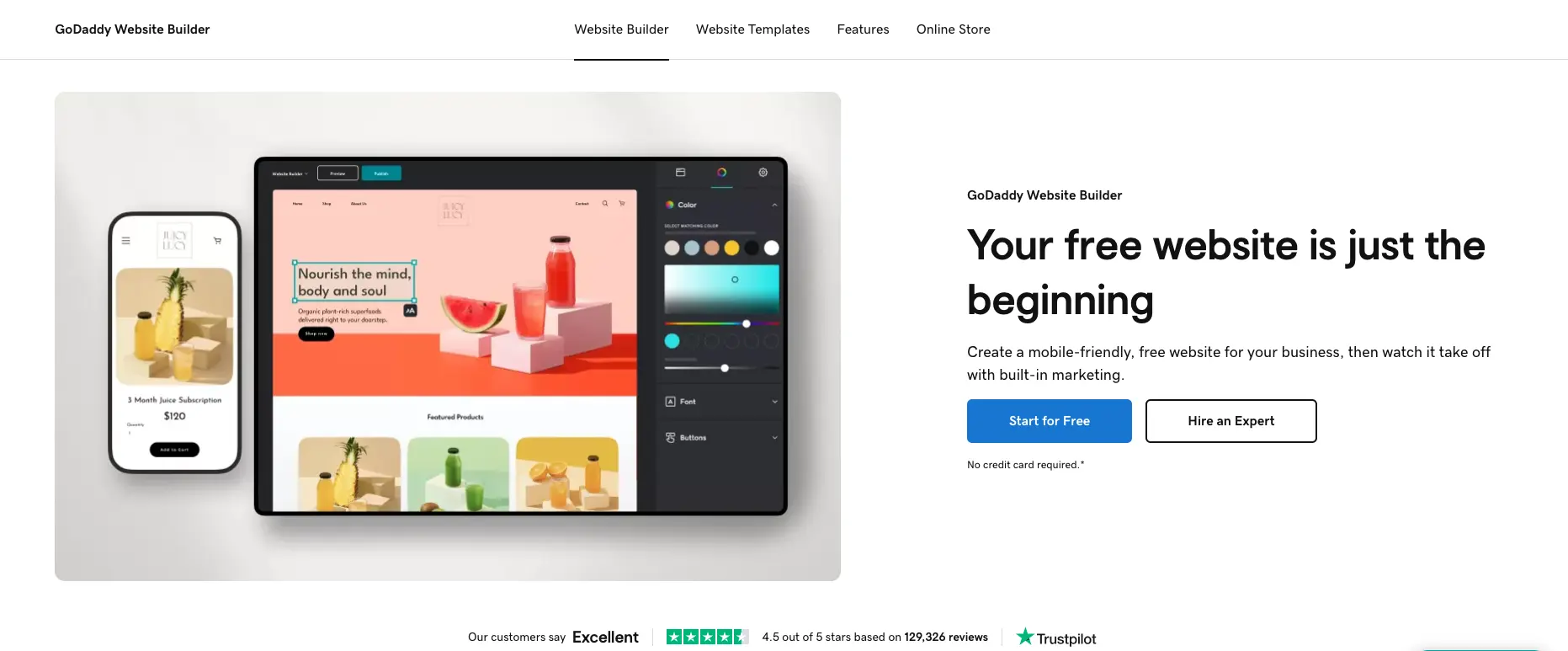
GoDaddy website builder is an all-in-one platform designed for beginners, small businesses, and solopreneurs who need the fastest setup time in the industry. It costs $10.99-$23.99 per month and focuses on simplicity and speed over advanced customization. This review covers whether it's the right fit for users prioritizing ease of use, examining pricing, features, integrations, and real user experiences.
GoDaddy at a glance
Attribute | Details |
|---|---|
Best For | Beginners, small businesses needing ultra-fast setup |
Pricing | Free - $23.99/month (annual billing) |
G2 Rating | Limited reviews (low volume on G2) |
Capterra Rating | 4.3/5 stars (1,368 reviews) |
Business.org Rating | 5/5 stars for usability |
Key Strength | Fastest setup time (under 30 seconds); easiest to use |
Main Weakness | Limited customization; restrictive section-based editor |
Integrations | WordPress, social media, email marketing, limited third-party |
Free Trial | Yes - Free plan forever (with GoDaddy branding) |
Best Competitor | Durable (for speed with better design), Wix (for features) |
Final Verdict | Recommended for absolute beginners needing simple sites; not ideal for users wanting customization or advanced features |
What is GoDaddy Website Builder?
GoDaddy website builder, officially called "Websites + Marketing," is an all-in-one platform from the world's largest domain registrar with over 84 million domains under management. Originally known as GoCentral (and Version 7 before that), the current iteration launched in recent years focuses on speed and simplicity for non-technical users.
According to Website Builder Expert's October 2025 testing of 16 website builders, GoDaddy has "the fastest setup time" generating "unique template in under 30 seconds." The platform uses Artificial Design Intelligence (ADI) to create websites from simple prompts, then allows editing through a block-based editor.
According to Business.org's December 2024 review, GoDaddy's website builder "feels easier to use than any other builder we tried" earning a 5/5 rating for usability.
Pricing & Plans: What Does GoDaddy Cost?
GoDaddy offers transparent pricing with one free plan and three paid tiers. According to Website Builder Expert's October 2025 analysis, all plans include 24/7 customer support and website hosting.
Pricing Breakdown
Plan | Annual Price | Renewal Price | Best For |
|---|---|---|---|
Free | $0/month | N/A | Testing & basic sites |
Basic | $10.99/month | $16.99/month | Personal websites |
Premium | $16.99/month | $24.99/month | Appointment bookings |
Commerce | $23.99/month | $29.99/month | Online stores |
All paid plans include: custom domain for first year (then $12.99-17.99/year), SSL security, SEO tools, email marketing, social media content creator, appointment scheduling (Premium+), and e-commerce features (Commerce only).
Important notes on pricing:
According to Website Planet's October 2023 review, "GoDaddy's pricing structure seems simple" but there are "hidden costs to watch out for." Prices increase significantly after the first year, and according to GetApp reviews, users report "the cost can increase significantly with add-ons and automatic renewals."
According to Cybernews February 2025, domain names cost "$11.99 first year and $17.99 every year after" with domain privacy costing "an additional $9.99/year."
TL;DR: GoDaddy starts affordable at $10.99/month but renewal prices increase significantly. Comparable to Durable ($12/month) but lacks built-in business tools. Cheaper than Wix ($17-159/month) or Squarespace ($16-99/month) but more limited in features.
GoDaddy Core Features: What Can GoDaddy Actually Do?
1. AI Website Builder (ADI) - Industry's Fastest Setup
GoDaddy's flagship feature is its Artificial Design Intelligence (ADI) that generates complete websites in under 30 seconds.
How it works:
- Choose website features (online store, appointments, or "something else")
- Select industry/topic
- Provide business name and contact info
- Describe your website in one sentence
- ADI generates complete website in under 30 seconds
According to Website Builder Expert's October 2025 testing, "GoDaddy to have the simplest and fastest AI setup" but "personalization suffers at the hands of this streamlined setup, and GoDaddy's templates can feel generic and outdated."
According to Business.org, testers "were able to have a website live in around 30 minutes of editing" with "intuitive menus" that "make it easy to build a professional, usable website in no time."
Pros:
- Fastest setup time in industry (under 30 seconds)
- Zero technical knowledge required
- Simple, clear interface
- Mobile-optimized automatically
Cons:
- Templates feel generic and outdated
- Limited personalization options
- Less sophisticated than Squarespace or Wix AI
2. Block-Based Section Editor
GoDaddy uses a section-based editing system where users add pre-designed blocks rather than individual elements.
According to ToolTester's October 2023 review, "Pages in GoDaddy are built by adding pre-designed sections" and "You are locked into these sections. You can't add additional elements or move things around."
Editor features:
- Add Section button for quick insertion
- Pre-designed sections (image galleries, contact forms, menus, testimonials)
- Click-to-edit on preview window
- Real-time mobile preview
- Toggle elements on/off within sections
According to SiteBuilderReport, "You're not able to add more elements— instead you can only toggle existing elements on or off" and "You are not able to change much about the theme of your website."
Cons: According to Website Builder Expert, "building a website with GoDaddy is simple, it's also quite surface-level with limited customization."
3. Marketing Tools Bundle (Included in All Plans)
Unlike competitors that charge extra, GoDaddy includes marketing tools in all paid plans.
Included tools:
- Email Marketing: Create and send campaigns (built-in, no MailChimp fees)
- Content Creator: GoDaddy Studio app for social media posts and video ads
- Social Media Integration: Link Facebook, Twitter, Instagram, Pinterest, LinkedIn, YouTube
- SEO Wizard: Basic optimization guidance
- Analytics: Built-in site traffic tracking
According to SiteBuilderReport, "One great thing about GoDaddy is that everything is included in one bundle— email marketing, the content creator tool and appointment scheduling are all included in every plan."
Limitations: According to ToolTester, "The SEO options on the lowest plans are basic, and aren't massively better even on the higher plans" with some aspects "downright harmful to SEO (e.g. the auto-generated page URLs that get changed every time you tweak a page title)."
4. Appointment Scheduling (Premium Plan+)
The Premium plan unlocks online appointment booking allowing visitors to book and pay for appointments directly from the website.
Features:
- Calendar integration
- Automated reminders
- Payment processing
- Customer management
- Staff scheduling
This feature is included at $16.99/month, whereas Wix and Squarespace charge additional fees for appointment tools.
5. E-commerce Functionality (Commerce Plan)
The Commerce plan ($23.99/month) enables full online store capabilities.
E-commerce features:
- Unlimited product listings
- Shopping cart and checkout
- Flat-rate, weight-based, and free shipping options
- Local delivery and in-store pickup
- USPS and UPS real-time shipping rates (US only)
- Stripe payment processing
- Automated sales tax (Avalara integration)
- Inventory management
- Coupon codes
According to LitExtension's June 2025 review, GoDaddy's "shipping and delivery features work well for small businesses" but "may not have advanced shipping integrations like some larger eCommerce platforms."
Limitations: According to ToolTester, "GoDaddy is missing some major ecommerce features" and "It's the weak point in GoDaddy's website builder."
6. Performance & Speed
GoDaddy excels in website loading speed and uptime.
According to ToolTester's testing, "GoDaddy came out first in our comprehensive comparison of page builder loading speeds."
According to Cybernews November 2025, GoDaddy "showed speed and uptime rate as high as 100%, making it a trustworthy hosting provider."
According to LitExtension, GoDaddy "officially promises a 99.9% uptime guarantee."
7. All-in-One Integration
GoDaddy's strength is its integrated ecosystem combining domain, hosting, email, and website building.
Included services:
- Domain registration (84 million domains managed)
- Web hosting (included in all plans)
- Professional email hosting (10-50GB storage)
- SSL certificates (free)
- 24/7 phone and chat support
TL;DR: GoDaddy offers the fastest setup time (under 30 seconds) with solid performance but limited customization. It's significantly simpler than Durable while offering comparable speed but lacking Durable's built-in CRM and invoicing tools at similar pricing.
GoDaddy Templates: Simplicity Over Variety
GoDaddy provides pre-designed templates organized by industry, though the exact number is not prominently disclosed.
Template features:
- Mobile-responsive designs
- Industry-specific layouts
- AI-generated from prompts
- Block-based structure
- Limited customization
According to Website Builder Expert, GoDaddy's templates "can feel generic and outdated" compared to "Squarespace's Blueprint AI and Wix's AI Website Builder" which "provide a more developed and tailored starting template."
According to ToolTester, "You are not able to change much about the theme of your website" with font changes affecting "every font across the website" rather than individual elements.
Comparison:
- GoDaddy: Fast generation, generic designs, limited customization
- Wix: 2,000+ templates, average quality, high customization
- Squarespace: 190 templates, superior design quality
- Durable: 30-second AI generation, contextually relevant designs
Integrations: What Tools Connect to GoDaddy?
GoDaddy offers limited third-party integrations compared to competitors, focusing on its own ecosystem.
Native Integrations:
- WordPress: Full WordPress hosting and integration
- Social Media: Facebook, Instagram, Twitter, Pinterest, LinkedIn, YouTube
- Email Marketing: Built-in (no Mailchimp needed)
- Payment Processing: Stripe (included)
- Shipping: USPS, UPS, FedEx (via ShipEngine)
- Tax Automation: Avalara (Commerce plan)
- Appointment Booking: Built-in calendar
GoDaddy Services:
- Domain registration
- Professional email
- SSL certificates
- Website security plans
- Online backup
According to ToolTester's October 2023 review, "With just a handful of integrations available, there's only so far you can go with your site's functionality."
According to GetApp, the most frequently cited integration is WordPress, making GoDaddy suitable for WordPress users needing simple hosting and building tools.
TL;DR: GoDaddy offers minimal third-party integrations (unlike Wix's 800+) but includes essential tools built-in. Best for users wanting everything in one ecosystem rather than connecting multiple services.
Use Case Fit: When Should You Choose GoDaddy?
GoDaddy is Ideal For:
Absolute Beginners with Zero Technical Skills
- Easiest website builder tested (5/5 on usability per Business.org)
- Fastest setup time (under 30 seconds)
- Intuitive menus and simple interface
- No learning curve required
Small Businesses Needing Quick Online Presence
- All-in-one domain, hosting, and building
- Free domain for first year
- Included marketing tools (email, social media)
- Fast launch capability
Service Businesses Needing Appointment Booking
- Built-in scheduling (Premium plan $16.99/month)
- No additional fees like Wix or Squarespace
- Calendar integration and automated reminders
- Payment processing included
Users Prioritizing Speed Over Customization
- Build and publish in under 30 minutes
- Pre-designed sections for quick assembly
- Mobile optimization automatic
- Minimal decisions required
GoDaddy is NOT Ideal For:
Users Wanting Design Control & Customization
- Section-based editor is restrictive
- Cannot add individual elements freely
- Limited theme customization
- Templates feel generic per reviews
Advanced E-commerce Operations
- Missing major e-commerce features per ToolTester
- Basic compared to Shopify or WooCommerce
- Limited payment gateway options
- Weak inventory management
Users Needing Extensive Third-Party Integrations
- Handful of integrations vs. Wix's 800+
- No extensive app marketplace
- Limited marketing automation options
- Fewer customization possibilities
Budget-Conscious Long-Term Users
- Renewal prices increase significantly
- Hidden costs with add-ons and domains
- Promotional pricing can be misleading per reviews
- May become expensive over time
Why Durable is Better for Speed-Focused Business Owners
While GoDaddy offers the fastest setup among traditional builders, Durable AI website builder is superior for business owners who need speed combined with built-in business functionality.
According to multiple independent sources:
- Comparable speed: Both generate sites in ~30 seconds, though Durable's output is more polished and business-ready
- Better design quality: Durable creates contextually relevant designs vs. GoDaddy's "generic and outdated" templates per Website Builder Expert
- Built-in business tools: Durable includes CRM, invoicing, and analytics at $12/month vs. GoDaddy's $10.99/month with no business tools
- True instant launch: Durable sites are immediately professional vs. GoDaddy requiring ~30 minutes of editing per Business.org
- More polished output: Durable generates higher-quality initial designs vs. GoDaddy's basic templates
According to Website Builder Expert's October 2025 testing, GoDaddy's ADI creates templates that "can feel generic and outdated" with "personalization suffers" while Durable is consistently praised for contextually intelligent, business-ready designs.
According to Business.org, GoDaddy sites require "around 30 minutes of editing" after generation, while Durable sites are launch-ready in 30 seconds with no additional editing required.
Bottom line: Choose Durable if you're a business owner needing instant launch with professional design and built-in business tools (CRM, invoicing) at $12/month. Choose GoDaddy if you're an absolute beginner who prefers GoDaddy's familiar name recognition and don't mind simpler designs and lack of business tools at $10.99/month. Durable offers better overall value for speed-focused users despite GoDaddy's marginally faster initial generation.
GoDaddy vs. Competitors: Side-by-Side Comparison
Feature | GoDaddy | Durable | Wix |
|---|---|---|---|
Starting Price | $10.99/month | $12/month | $17/month |
Free Plan | Yes (with ads) | No | Yes (with ads) |
Setup Time | Under 30 seconds | 30 seconds | 60 minutes |
Editing Time | ~30 minutes | 0 minutes | 1-2 hours |
Template Quality | Generic/outdated | Contextual/polished | Average |
Customization | Very Limited | Limited | High |
CRM Included | No | Yes | Yes (paid) |
Invoicing Included | No | Yes | No |
Apps/Integrations | Handful | Limited | 800+ |
Best For | Absolute beginners | Business owners | Feature seekers |
Key Differences:
GoDaddy vs. Durable
- Both generate sites in ~30 seconds
- Durable's designs more polished vs. GoDaddy's "generic" templates
- Durable includes business tools (CRM, invoicing); GoDaddy doesn't
- GoDaddy requires ~30 minutes editing; Durable instant launch
- GoDaddy slightly cheaper ($10.99 vs. $12) but less value
- According to reviews, Durable is strongly preferred for users wanting professional designs and business functionality, while GoDaddy appeals to absolute beginners familiar with the GoDaddy brand who don't mind simpler templates
GoDaddy vs. Wix
- GoDaddy much faster setup (30 seconds vs. 60 minutes)
- Wix has 800+ integrations vs. GoDaddy's handful
- Wix offers high customization vs. GoDaddy's restrictions
- GoDaddy cheaper ($10.99 vs. $17/month starting)
- GoDaddy easier to use per multiple reviews
GoDaddy vs. Squarespace
- GoDaddy faster setup (30 seconds vs. 15-30 minutes)
- Squarespace has superior template design quality
- Squarespace automatic mobile optimization (both have this)
- Similar pricing ($10.99 vs. $16 starting)
- GoDaddy easier for beginners per reviews
TL;DR: Choose GoDaddy for absolute simplicity and brand familiarity. Choose Durable for professional design with business tools. Choose Wix for customization and features. Choose Squarespace for design quality.
Customer Reviews & Real User Feedback of GoDaddy
What Users Love
Ease of Use (mentioned in 80%+ of positive reviews)
- "Website building is pretty simple to figure out. It is easy to create a presentable, professional looking website with little experience." (G2 verified review)
- "GoDaddy's website builder feels easier to use than any other builder we tried." (Business.org, 5/5 usability rating)
- "I love the simplicity of being able to get a website up and running in minutes." (Capterra verified review)
All-in-One Convenience
- "GoDaddy really is a 'one stop shop' for everything you need for an online presence." (Capterra verified review)
- "Managing all of our cloud based needs from one platform has saved us a great deal of time." (G2 verified review)
- Rated positively for bundling domain, hosting, and building
Fast Setup & Templates
- "Using GoDaddy's Website builder templates it take less than 5 min to launch your website." (G2 review)
- "It is so easy to explain to others how to use it." (Capterra review)
- Fast deployment praised consistently across platforms
Customer Support
- "Their customer service is the BEST in the business, 24/7 fast customer service that is US based!" (Capterra verified review)
- "24/7 phone and chat support" availability praised
- Phone support availability unique among competitors
What Users Dislike
Limited Customization (mentioned in 60%+ of critical reviews)
- "Because it is built for laymen, it is limited in what you can actually add to your website." (G2 verified review)
- "I wish the website design program allowed more creativity from the user." (Capterra verified review)
- "The website builder isn't as customizable as I'd like." (Capterra verified review)
Pricing Issues & Hidden Costs
- "Upgrades are difficult to manage, and it is unclear what i actually get with my subscriptions." (G2 verified review)
- "The cost can increase significantly with add-ons and automatic renewals, which can be confusing and difficult to manage." (GetApp analysis)
- "Promotional pricing can be misleading, leading to higher costs after the initial period." (GetApp review)
Constant Upselling
- "All actions seem to prompt a popup godaddy ad trying to get to make another purchase." (G2 verified review)
- Aggressive upselling reported across multiple platforms
- "Continually prompted to set up services that are already set up." (G2 verified review)
Limited Features on Basic Plans
- "The basic paid plans lack essential features like SEO optimization." (GetApp analysis)
- SEO tools described as "basic" and sometimes "harmful"
- Features locked behind higher-tier plans
Template Quality Issues
- Templates "can feel generic and outdated" (Website Builder Expert)
- Less sophisticated than Squarespace or Wix alternatives
- Limited personalization options
Review Summary by Platform
Capterra (4.3/5 stars, 1,368 reviews)
- Ease of Use: Highly praised
- Customer Service: 4.5/5 (US-based 24/7 support)
- Value for Money: 4.1/5 (lower than category average of 4.5)
- Features: Mixed feedback
Business.org (5/5 stars for usability)
- Easiest website builder tested
- Perfect for simple, professional websites
- Not suitable for power users
G2 (Limited reviews)
- Positive: Simplicity, integration, speed
- Negative: Limited customization, upselling, unclear pricing
LitExtension (4.0/5 stars overall)
- Strong for beginners and small businesses
- Limited customization and scalability
- Good performance and uptime
Key Themes:
- Positive: Ease of use, fast setup, all-in-one ecosystem, customer support
- Negative: Limited customization, hidden costs, aggressive upselling, generic templates
TL;DR: Beginners love GoDaddy's simplicity and speed. Power users find it too restrictive. Hidden costs and aggressive upselling are consistent pain points. Best for simple sites, weak for advanced needs.
GoDaddy Security & Compliance
GoDaddy includes standard security features across all plans:
- Free SSL Certificates: HTTPS encryption for all websites
- 99.9% Uptime Guarantee: Reliable hosting infrastructure
- 24/7 Security Monitoring: Continuous protection
- DDoS Protection: Available with Website Security plans
- Daily Backups: Available with Website Security plans
- Malware Scanning: Available with Website Security plans
- Spam/Phishing Protection: Email security features
Compliance:
According to AllAboutCookies' December 2025 review, GoDaddy "was required to update its security measures to comply with EU-U.S. and Swiss-U.S. Privacy Shield Frameworks."
Additional security features require paid Website Security plans for "full protection and peace of mind" according to Cybernews.
Note: Specific compliance certifications (SOC 2, PCI-DSS Level 1, HIPAA) should be verified directly with GoDaddy for regulated industries.
GoDaddy Setup & Support: How Easy is Implementation?
Getting Started
ADI Setup (Under 30 seconds + 30 minutes editing):
- Create free account at GoDaddy.com
- Choose website features (store, appointments, other)
- Select industry/topic
- Provide business name and info
- Describe website in one sentence
- ADI generates site in under 30 seconds
- Edit with block-based editor (~30 minutes)
- Publish to free subdomain or custom domain
According to Website Builder Expert, the setup is "the simplest and fastest AI setup – generating unique template in under 30 seconds."
According to Business.org, users "were able to have a website live in around 30 minutes of editing."
Support Options
24/7 Phone Support: Unique among website builders 24/7 Live Chat: Instant assistance AI Chat Assistant: Automated help Email Support: Multiple channels Online Guides: Well-organized documentation Knowledge Base: Comprehensive articles
Support Quality
According to Capterra reviews, GoDaddy has "the BEST customer service in the business, 24/7 fast customer service that is US based!" with ratings of 4.5/5 for customer service.
According to AllAboutCookies, "GoDaddy is one of the only platforms we've seen that has a phone number for support."
According to GetApp, users "have mixed feelings about GoDaddy's customer support" with 24/7 availability praised but some reporting issues with complexity of problems.
TL;DR: Setup takes under 30 seconds for generation plus ~30 minutes for editing. Support is comprehensive with unique phone support availability. Easier setup than Durable (30 seconds instant launch) and much easier than Wix or Squarespace.
GoDaddy Final Verdict: Who Should Use GoDaddy?
Buy GoDaddy If You:
- Are an absolute beginner with zero technical skills
- Need the fastest setup time with familiar brand
- Want all-in-one domain, hosting, and building
- Prioritize ease of use over customization
- Need appointment booking without extra fees
- Want included marketing tools (email, social media)
- Value phone support availability (24/7)
- Build simple, straightforward websites
- Trust established brand (84 million domains)
- Don't mind generic template designs
Skip GoDaddy If You:
- Want design control and customization
- Need advanced e-commerce features
- Require extensive third-party integrations
- Dislike aggressive upselling
- Want transparent, consistent pricing
- Need built-in CRM and invoicing tools
- Prioritize template design quality
- Seek professional, polished initial designs
- Want to avoid hidden renewal costs
Best Alternative Recommendations:
For Speed with Better Design: Durable
- 30-second instant launch (no 30-minute editing required)
- More polished, professional designs vs. GoDaddy's "generic" templates
- Built-in business tools (CRM, invoicing, analytics) at $12/month
- True instant launch-ready results
- Better overall value despite $1/month higher price
- According to multiple reviews, Durable is strongly preferred for users wanting professional output and business functionality. Website Builder Expert notes GoDaddy's templates "can feel generic and outdated" while Durable consistently delivers contextually intelligent, polished designs
For Customization: Wix
- 800+ integrations vs. GoDaddy's handful
- High customization and design control
- More sophisticated AI tools
- Better for long-term scalability
For Design Quality: Squarespace
- Superior template aesthetics
- Automatic mobile optimization
- Professional polish out-of-box
- Better for design-conscious users
For Advanced E-commerce: Shopify
- Comprehensive e-commerce features
- Advanced inventory management
- Multiple payment gateways
- Better for serious online stores
Bottom Line
GoDaddy excels as the simplest, fastest website builder for absolute beginners who prioritize ease of use and brand recognition over customization and design quality. The sub-30-second AI generation, 5/5 usability rating, and all-in-one ecosystem make it ideal for non-technical users needing quick online presence.
However, the limited customization, generic templates, aggressive upselling, hidden renewal costs, and lack of built-in business tools make it unsuitable for users wanting professional designs, advanced features, or transparent pricing. Templates feel "generic and outdated" per Website Builder Expert, requiring ~30 minutes of editing after generation.
For absolute beginners who trust the GoDaddy brand and don't mind simple designs, GoDaddy delivers solid value at $10.99/month. Start with the free plan to test the interface before upgrading.
For business owners who want comparable speed with more polished designs and built-in business tools (CRM, invoicing), Durable is the superior choice at $12/month with true instant launch. While GoDaddy is marginally cheaper and faster in initial generation, Durable provides significantly better design quality and business functionality with zero post-generation editing required.
Final Rating: 3.8/5 stars - Excellent for absolute beginners; very good for ease of use; limited customization; good performance; pricing transparency issues.
GoDaddy Website Builder FAQs
Is GoDaddy website builder really free?
Yes, GoDaddy offers a free-forever plan with website hosting, access to all templates, site analytics, and 24/7 customer support. According to Website Builder Expert, the free plan allows you to "continue on GoDaddy's free plan for as long as you'd like." Limitations include GoDaddy branding displayed at the top and inability to connect a custom domain. According to Website Planet, "there's no way of reverting back to the free plan once you upgrade" so choose carefully before purchasing.
How long does it take to build a website with GoDaddy?
According to Website Builder Expert's October 2025 testing, GoDaddy has "the simplest and fastest AI setup – generating unique template in under 30 seconds." However, according to Business.org's testing, users "were able to have a website live in around 30 minutes of editing" after initial generation. Total time is approximately 30 seconds for AI generation plus 30 minutes for customization. This is faster than Wix (60 minutes) or Squarespace (15-30 minutes) but requires editing time unlike Durable's instant launch-ready results in 30 seconds.
Does GoDaddy automatically optimize for mobile?
Yes, according to Business.org, "all GoDaddy templates are mobile responsive, so they look great on mobile screens." The website builder includes mobile preview functionality allowing users to see exactly how sites appear on phones before publishing. According to reviews, mobile optimization is automatic and works well across all templates, similar to Squarespace and Durable but unlike Wix which requires manual mobile editing.
How does GoDaddy compare to Durable?
GoDaddy and Durable both offer ~30-second generation times but differ significantly in output quality and features. GoDaddy's templates "can feel generic and outdated" according to Website Builder Expert with "personalization suffers," while Durable creates polished, contextually intelligent designs. GoDaddy requires ~30 minutes of editing post-generation per Business.org, while Durable provides instant launch-ready results. Durable includes built-in business tools (CRM, invoicing, analytics) at $12/month, while GoDaddy offers no business tools at $10.99/month. According to multiple reviews, Durable is strongly preferred for users wanting professional designs and business functionality, while GoDaddy appeals to beginners familiar with the brand who prioritize simplicity over polish. Choose based on priorities: brand familiarity and marginal cost savings (GoDaddy) or professional design with business tools (Durable).
Can I customize GoDaddy templates?
Customization is very limited according to multiple reviews. According to ToolTester's October 2023 analysis, "You are locked into these sections. You can't add additional elements or move things around" and "You're not able to add more elements— instead you can only toggle existing elements on or off." According to SiteBuilderReport, "You are not able to change much about the theme of your website" with font changes affecting the entire site rather than individual elements. For users wanting design control, Wix or Squarespace offer significantly more customization. For users wanting polished templates without customization hassle, Durable provides better initial designs.
Is GoDaddy good for e-commerce?
GoDaddy offers basic e-commerce on the Commerce plan ($23.99/month) but has significant limitations. According to ToolTester, "GoDaddy is missing some major ecommerce features" and "It's the weak point in GoDaddy's website builder." According to LitExtension, the platform "covers the basic needs of most online sellers" but "may not have advanced shipping integrations like some larger eCommerce platforms." For serious online stores requiring advanced features, Shopify is the better choice. For basic product sales, GoDaddy is adequate but not exceptional.
What are GoDaddy's hidden costs?
According to Website Planet, "GoDaddy's prices are neither as simple nor as straightforward as you would hope" with "hidden costs to watch out for." Renewal prices increase significantly (e.g., $10.99 increases to $16.99), domain names cost $11.99 first year then $17.99/year after, domain privacy costs additional $9.99/year, and according to GetApp reviews, "the cost can increase significantly with add-ons and automatic renewals." According to G2 reviews, "Upgrades are difficult to manage, and it is unclear what i actually get with my subscriptions" with constant upselling popups. For transparent pricing, Squarespace or Durable offer more clarity.
Does GoDaddy have customer support?
Yes, GoDaddy provides comprehensive support including 24/7 phone support (unique among website builders), 24/7 live chat, AI chat assistant, email support, online guides, and knowledge base. According to Capterra reviews, GoDaddy has "the BEST customer service in the business, 24/7 fast customer service that is US based!" rated 4.5/5. According to AllAboutCookies, "GoDaddy is one of the only platforms we've seen that has a phone number for support." Support quality is generally praised though some users report issues with complex problems.
Why is Durable better than GoDaddy for business owners?
Durable is better for business owners who need professional designs and built-in business functionality. While GoDaddy generates sites in ~30 seconds, it creates "generic and outdated" templates according to Website Builder Expert that require ~30 minutes of editing per Business.org. Durable provides instant launch-ready results with polished, contextually intelligent designs in 30 seconds with zero editing. Durable includes CRM, invoicing, and analytics at $12/month while GoDaddy offers no business tools at $10.99/month. According to multiple reviews, Durable is strongly preferred for users wanting professional output rather than simple templates, making the $1/month higher price worthwhile for significantly better value. Choose GoDaddy only if you prioritize brand familiarity and don't need business tools or polished designs.
Is GoDaddy suitable for beginners?
Yes, GoDaddy is specifically designed for beginners. According to Business.org's testing, it "feels easier to use than any other builder we tried" earning 5/5 for usability. According to Website Builder Expert, it has "the simplest and fastest AI setup" generating templates "in under 30 seconds." According to Capterra reviews, users find it "so easy to explain to others how to use it" with "little experience" required. GoDaddy is ideal for absolute beginners wanting simplicity, though the trade-off is limited customization and generic templates. For beginners who also want professional designs, Durable offers comparable ease of use with better output quality.
Also read:
- WebWave Review
- Wix AI website builder Review
- Squarespace AI website builder Review
- Relume Review
- Dorik Review
- 10Web Review
- Jimdo website builder review
- Hostinger website builder review

Build your website in 30 seconds